Shade - WebGPU graphics

…Unity doesn’t give you nearly as much as it claims on paper.

Unity and it’s close cousin Unreal. I have this weird feeling they make their engines tricky to use on purpose so that you are forced to get support from them. But then again, one could also argue that it’s best to learn these engine’s internals to best utilise them. But that’s a conversation for a different forum.

I’m a bit disappointed that this wasn’t web based. I didn’t even question it a single bit. But anyways, it’s still early 2026.

As for the stack, specifically your occlusion solution, why not try HBAO? Isn’t it supposed to be better for performance?

Also, IBL, I’m having exposure issues on my end with threejs, and the more I read donmccurdy’s article on colour management the more lost I feel, not because of author, but mainly due to my own inability to grasp the theory around colours. So, I’m curious as to what you use for lighting in threejs, I haven’t found enough content on this topic.

1 Like

Yeah sorry about he mix-up. Working on a new demo actually, hoping to release it soon

In Unity it’s not an option, at least not by default. Beyond that HBAO and GTAO are basically the same thing, at least conceptually. HBAO is typically NVIDIA’s implementation, which is quite specific, but you can code up a well-behaving AO solution any which way, there are lots of options.

Yeah, I can relate, I built automatic exposure into Shade for this specific reason. Getting the scene to look good, not too underexposed and not overexposed is hard.

As for color science and tech - it’s a very deep rabbit hole, there’s so much that I have learned in the past 3 years specifically, only to now be qualified to know that there’s even more that I don’t know

1 Like

Apparently there’s a difference big enough for performance, but I’d be the last person to have data on this. I’m still recovering from converting depth to position vectors in glsl.

Yup, just recently learnt how to spell gamut, so implementing auto exposure isn’t on my list of to dos :sneezing_face:. I know that I have to learn about colour spaces more and colour correction after tone mapping. The latter of which I think for now I can do to some degree. But auto exposure. Maybe it’s similar to a compressor in music, where you push high frequencies lower and lower freqs higher, but even that I don’t know well, just recently learnt about compressors too, so the motivation to move in such a direction is near 0. So for now I’ll just leave lighting to the end.

Run into colour theory watching one of ghost of tsushima’s devs talking about how they render the game at SIGGRAPH. I was happy that I’d never have to worry about that :joy::joy:, I quickly found out this year that I was quite wrong :sneezing_face:

1 Like

HBAO may be equal in quality for static meshes, but has issues with motions. HBAO’s horizon sampling has more variance per-frame, which means more temporal ghosting or shimmer.

And regarding the cost: While GTAO is more expensive, the actual timing difference is neglible. HBAO may take 0.3-0.5ms, GTAO is somewhere between 0.4-0.8ms depending on the scene.

But the biggest advantage of GTAO imo is that it outputs bent normals as a byproduct, which is used/required for Global Ilumination. HBAO doesn’t produce them.

So for AAA quality the only real option is GTAO.

Edit: Forgot to mention that TAA works better with GTAO (since it has better temporal stability) which is another great sideeffect for using TAA (I know TAA is criticized a lot but it has too many synergies with other techniques to not use it).

Cool to see someone else is working on a AAA engine for the web! :slight_smile:

I have a few questions:

  • Do you think meshlets are worth it?
    I considered them but since WebGPU doesnt have mesh shaders (and wont have it for the forseeable future), the complexity it involves is not worth the gains. Plus they are too scene dependend.
  • How do you handle LODs with meshlets? Are LOD transitions seamless?
  • Are you streaming assets (geometry, textures)?
  • GI: Have you considered DDGI?
  • Is your engine multithreaded?

Hey @benjaminsuch , interesting musings on HBAO. I know the base theory behind HBAO, and read in the references leading up to GTAO that it’s the same basic Horizon-based idea.

Never actually read the source or saw any design diagrams as HBAO was under NDA and closed source.

As for the questions

To me it’s 100% worth it, because without it you can’t build a GPU-driven drawer as easily. It makes culling performance much more predictable as well, because meshlets have excellent spatial distribution.

Consider a large terrain for example, with nothing else but just meshlet shading and occlusion culling - you’re going to be submitting a tiny fraction of the overall geometry to the GPU, instead of the entire mesh.

I actually tried without and without meshlets, with meshlets it was a lot harder initially. But as long as you’re comfortable writing sorting compute shaders - you can generally overcome that. Or if doing CPU-driven draw is fine for you - you don’t even have an issue in the first place.

Right now I don’t do LoDs explicitly. Users are free to swap geometries on the fly, from the CPU-side though, so anything that exists in Unity or here in thee.js is double and is arguably easier because Shade has full set of dynamic spatial acceleration structures, so you can quickly figure out what’s visible and how far away from the camera. I plan to build virtual geometry tech in the future. I have experience with it already, and the processing code, which is the hardest part - already exists.

Yes, it’s a fully streaming engine.

DDGI is actually built into the engine. It’s just off by default because RTX load is quite significant, especially on the lower-end devices. Oh yeah, Shade has a full software (compute sahders) ray-tracer implementation.

Both yes and no. The engine is almost entirely GPU-driven, so any expensive work happens on the GPU. The draw is issued by the GPU, culling is done by the GPU, sorting is done on the GPU etc. For complex scenes with a lot of materials Shade might have about ~4ms overhead on the CPU. For typical scenes it’s closer to 1ms, doesn’t matter if you have 1 mesh or 1,000,000 meshes.

JavaScript is an explicitly single-threaded language, and I wanted the engine to be as close to being a pure javascript library as possible, so I write code to either be so fast on the CPU that it’s not an issue, or I move it to the GPU so that the user has the main thread almost entirely to themselves to do other work on, such as programming gameplay

Worth qualifying perhaps, I write performance-critical code in C-style, which makes it about 2-4 times slower than C on average, but put it differently - it’s a couple of orders of magnitude faster than idiomatic (how you would normally write it) JavaScript.

Thanks for your answers.

Consider a large terrain for example, with nothing else but just meshlet shading and occlusion culling - you’re going to be submitting a tiny fraction of the overall geometry to the GPU, instead of the entire mesh.

Yeah I understand the pros of meshlets. They are amazing for reducing the amount geometry to render, but the effort to make them work relative to the alternatives seems not worth it to me. For terrain for example I use CDLOD (geomorphing) which does an excellent job (though it’s not as granular as meshlets). Plus from what I read LODs are a real pain and all the stitching you have to do doesn’t sound fun to me :laughing:

JavaScript is an explicitly single-threaded language, and I wanted the engine to be as close to being a pure javascript library as possible, so I write code to either be so fast on the CPU that it’s not an issue, or I move it to the GPU so that the user has the main thread almost entirely to themselves to do other work on, such as programming gameplay

It’s not as single-threaded as people think it is. Yes the event loop is single threaded but with workers you still get parallelization and concurrency.

But you are right with a GPU driven renderer you do almost everything on the GPU.

Regarding speed JavaScript is actually not the bottleneck, it’s the platform (e.g. CPU overhead for each WebGPU operation).

Meshlets have quickly become a very popular construction in graphics, over, I’d say, about the past ~10 years. Mesh shaders (hardware meshlets abstraction) are quite ubiquitous in engines today, and with the advancing adoption of virtual geometry tech across the industry - meshlets are becoming even more relevant. With the most recent example being clustered BLAS tech from NVIDIA

My decision to go with meshlets is, at least in part, based on that direction. But yeah - they are a pain to integrate, API does nothing for you, there are no libraries in JS space and learning materials are sparse and have a fairly high technical base as a pre-requisite.


About the multi-threading. It’s a mixed bag. I do use workers, and I’m glad they exist. The problem is that these are not true treads.

Communication with workers can be done 1 of 2 ways:

  1. messaging
  2. shared memory

The shared memory is several times slower than private memory in Chrome, so it’s not a great option if you’re chasing performance.

Messaging comes with it’s own set of problems. Let’s compare this to something like rust, for example. Not great.

Another problem with workers is to do with how they are created and their lifecycle. A worker is essentially a brand new runtime context, this comes with memory overhead. Spinning up workers takes time, even if it’s “fast”, it’s at least a couple of orders of magnitude slower than native threading abstractions. Workers are essentially heavy threads, but like… extra heavy.

Last but not least - you have a pitiful capacity. You can spin up, say 8 threads, if you try to start 9th - you’re going to fail. 8 threads is nothing when it comes to running parallel code. Let’s say you get 16 instead, or, let’s dream big and say it’s 32 threads - that’s still a limit that you have to work around.

Here’s a practical example - if you use draco in your three.js project, it will spin up 8 threads for decompression by default, and it will hold onto them… forever

A common pattern is to do a lot of processing at the start of an application, decode meshes, textures, convert formats, generate missing attributes such as tangents/bitangets etc. And a common practice in software engineering is to abstract and separate concerns.

Now, if your decoders each grabs a few threads - it’s a game of musical chair, someone is going to left standing when the music stops. And your application crashes.

Anyway, I don’t want to say that workers are bad. I just don’t really consider them as something that makes JavaScript multi-threaded, the limits are just too limiting.

Add to that the deployment aspect. How do you start a new worker? Well, you need a separate JS file and be able to point to it. Building that is a pain. Pretty much every build framework out there, including vite and webpack gave it a go, trying to make using workers painless. They all failed :sweat_smile:

Heck, meep (my engine) has a worker abstraction as well, solving some of these issues I outlined, and there are at least a handful other libraries out there working in that direciton, but there’s only so much you can do.


Fully agree. That’s why Shade is GPU-driven, to keep the number of GPU commands issued by the CPU each frame as low as possible.

Edit: The target platform is probably relevant here for context. For my engine at least I only care about Google Chrome and users with a dedicated GPU. Maybe the issues you are talking about are from mobile users or other browsers.

Your take on JavaScript threads confuses me a bit:

The shared memory is several times slower than private memory in Chrome, so it’s not a great option if you’re chasing performance.

Where did you get that from? Shared memory uses normal typed arrays. It has the same cost as using a regular ArrayBuffer. Maybe if you do Atomics on every read/write, that would make things several times slower, but that is something no one should do.

Another problem with workers is to do with how they are created and their lifecycle. A worker is essentially a brand new runtime context, this comes with memory overhead. Spinning up workers takes time, even if it’s “fast”, it’s at least a couple of orders of magnitude slower than native threading abstractions. Workers are essentially heavy threads, but like… extra heavy.

Yes but thats why you spin up workers at the start, not during runtime and reuse them.

Last but not least - you have a pitiful capacity. You can spin up, say 8 threads, if you try to start 9th - you’re going to fail. 8 threads is nothing when it comes to running parallel code. Let’s say you get 16 instead, or, let’s dream big and say it’s 32 threads - that’s still a limit that you have to work around.

I’m confused here. I can easily spin up 200 workers on Chrome, no problem. Firefox is a bit weird and struggles with worker creation that is more than navigator.hardwareConcurrency but there is no hard limit of workers.

Anyway, I don’t want to say that workers are bad. I just don’t really consider them as something that makes JavaScript multi-threaded, the limits are just too limiting.

Just having a separate render-worker does a lot for performance. If you have all on a main-thread you do the CPU work of the game logic + render commands. Especially having the command submission overhead on the main-thread is a big issue. That’s like 1-4ms depending on the pass complexity. A separate render-thread is invaluable.

But I dont want to start an argument here. I respect your decisions and love your project and your posts here on this forum! Looking forward for your feedback when I start my engine thread :smiley:

Interesting, I guess my age is showing. I don’t know when they did that, as quite the number of years ago I ran into this exact issue. You live and you learn! Thanks for pointing that out

It’s a fairly common confusion. SharedArrayBuffer is a different beast from ArrayBuffer, both of which can be used as a backing for the DataView, which typed buffers are variant of. SharedArrayBuffers incur a performance penalty, reads and writes are slower on those. I don’t know the whole story why. It’s possible that some kind of cash flushes are happening, or maybe the memory controller is configured in a special way, or the runtime doing something different, or all of the above :slight_smile:

I did a small prototype of a zombie game with ~10,000 agents couple of years ago, running simulation and path finding for the zombies in a worker thread and synchronizing via SharedArrayBuffer. I don’t remember the exact numbers, but the simulation was running significantly slower when switching from ArrayBuffer to a shared variant.

I agree with that, but this only applies to the CPU-driven rendering. In GPU-driven rendering CPU is mostly idle. I submit maybe 300-500 commands per frame in Shade, even on the scenes with millions of objects and tons of unique materials and lights.

It’s a common trick from a decade ago or so, and if you’re running a more traditional CPU submit - that’s a really good idea.

With GPU-driven draw the overhead of moving commands around and separating the submitting thread is probably not worth it. At least not in the browser.

I think that’s fine, you’re not calling me names and however I come across - I assure you I respect your input and your views, so thanks for the conversation!

1 Like

Been working on a scene file format for Shade, here’s what I got so far.

Starting with Sponza GLTF:

  • 171 Kb metadata (JSON)
  • 9.08 Mb binary buffer (.bin)
  • 68 textures, using JPEG with high quality mostly and a few PNGs for transparencies, totaling 37.4 Mb

Total size for the GLTF is 46.6 Mb

I’m also including an 8k HDR environment map, which is 96.9 Mb
And I’m including pre-built BVH data for all geometries

Without the BVH, it’s already 143.5 Mb

The BVH data is about 5 Mb or so, don’t have the exact number


I’m re-compressing the textures, but keeping high quality settings and not touching the resolution, and I’m using in-engine geometry format, which is more compact and has per-meshlet compression. The total file size with all the geometry, all the textures and material as well as the envrionment map and the BVH is 29.5 Mb

This is all before generic lossless compression, such as GZ.

With just basic ZIP (emulating GZ) we get down to 16.0 Mb


Pretty happy with the results. Especially considering that this format has no extra encoding, the data just goes straight to the GPU after we load it over the network.

1 Like

Another demo:

Screenshot 2026-04-18 030157

It’s just Sponza. The cool things are not particularly visible.

The entire scene is 29 Mb, with all textures, geometries, BVH and environment map.

The time to first frame is super low as well, that is - once the binary transfer finishes.

No shader compilation, no expensive texture decode.

The volumetric light map loads in parallel and also has no decode, going straight into the GPU memory, that one is only 2.17 Mb

2 Likes

It is insane, that this kind of quality works in my browser! The time to first frame is about 1-2 sec for me :exploding_head: Keep up the good work!

1 Like

Added RCAS (Robust Contrast Adaptive Sharpening) implementation to Shade.

The results are a little subtle, but quite nice overall. Does what’s advertised - makes the image sharper.

I recently saw mamoniem’s article https://mamoniem.com/behind-the-pretty-frames-pragmata/ Where he mentions use of CAS. I knew of CAS’s existence for a long time, but I always thought of it as a crutch to bad upscaling.

CAS - off

CAS - on

Looking at the pictures made me think otherwise. Pragmata (RE engine really) has a very competent frame stack, so the output image quality is great, yet CAS makes it look nicer. It’s not something that you can easily put a finger on. You could say “there’s more detail” or “The image is more sharp”, but that doesn’t feel adequate.

Anyway, I ported it over to WGSL and added it to Shade, here are results:

RCAS - on


RCAS - off

Thanks to Timothy Lottes for creating RCAS and to AMD releasing it to the public.

A small update. Wanted to add an accumulating path tracer for a while, found some time today

Works pretty well. No denoiser, would be quite easy to add, I already have a few different denoisers, but I’m not sure if there’s much value in this beyond debugging at this point.

Basic stuff, we reset accumulation when we detect camera change, and using biased exponential moving average for accumulation.

Path tracer is the same exact thing that I showed before, and what is used for GI

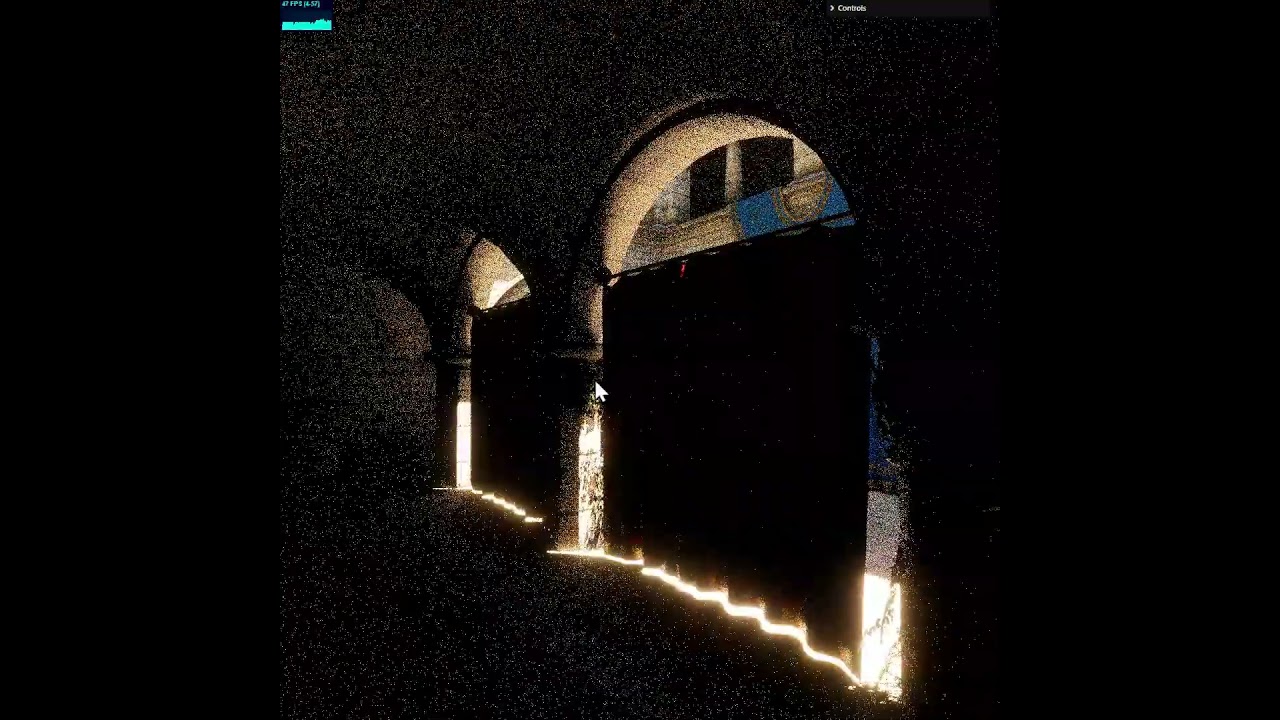
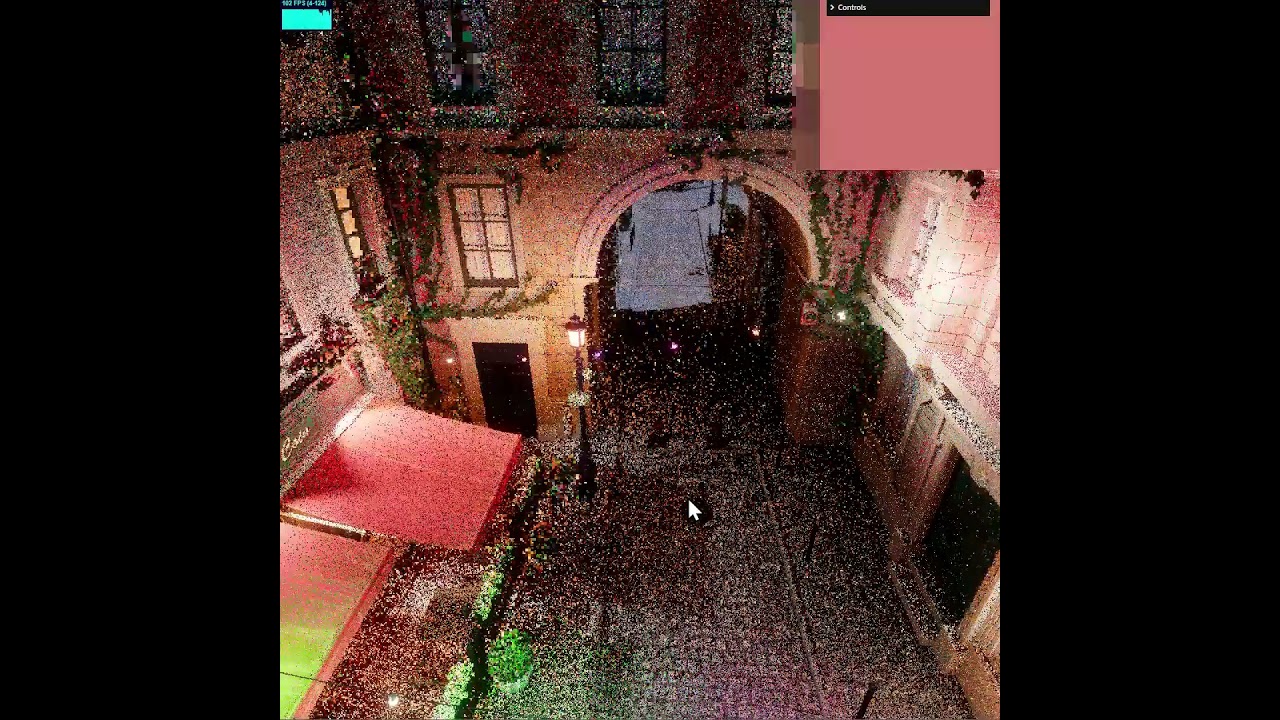
A few static shots


Convergence is pretty fast, and doing 1 path per frame has lower thread divergence, so perf is significantly better overall.

1 Like

Worked a bit more on the path tracer

Added light PDF into MIS, so variance is much lower and early convergence is very fast.

Added tiles, to scale towards low-end GPUs.
Added de-blocking, using mip-chain flood fill, this is just to preserve overall image brightness, instead of having those unsightly pinholes everywhere.

No denoising of any kind.

For comparison, here’s blender setup and blender render with close-enough render settings


2 Likes

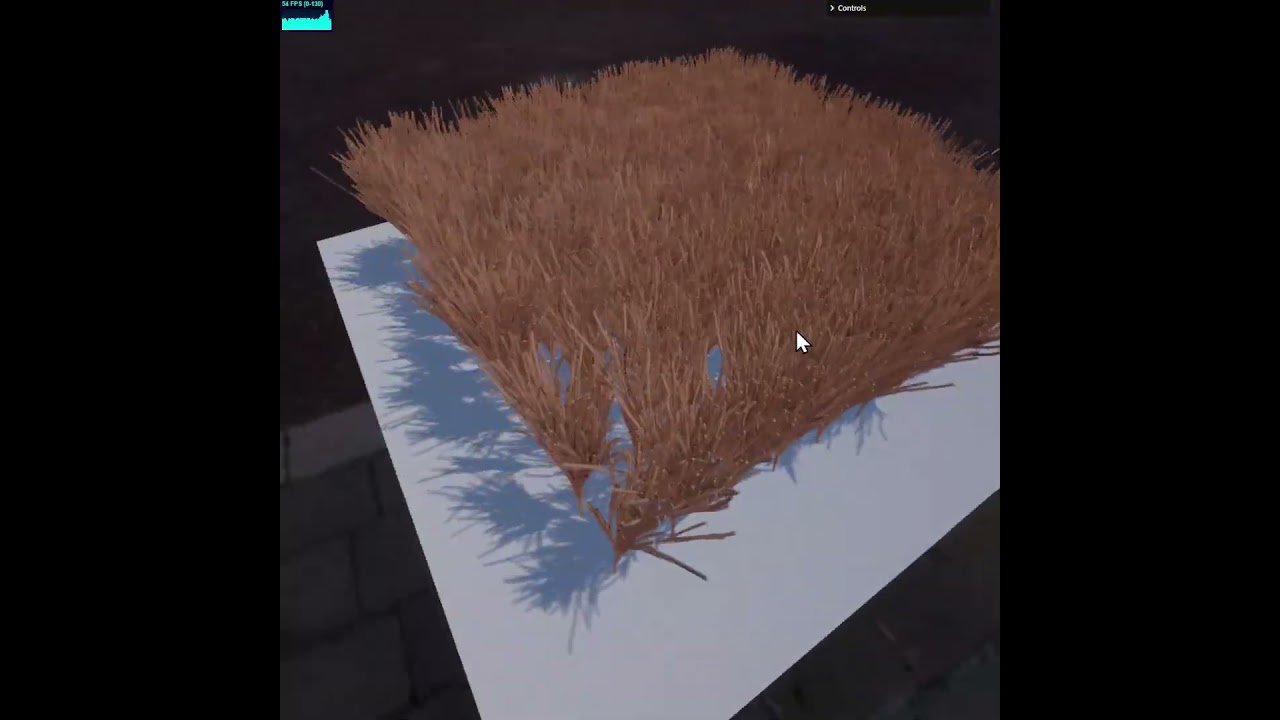
Started working on an animation system.

The goal was to have it run entirely on the GPU, not just skinning, but animations, bounding volume updates - the whole lot.

  • 786,655 total meshes
  • 100 individual roots

So far I got the animation part prototyped, there are still some kinks to iron out, and I’m not too happy with the shape of the API

What is there:

  • All information is on the GPU, curves, tracks, animation clips, bindings
  • Evaluation is on the GPU, meaning that actual state is derived entirely in the shaders, even the bound animation clip’s current playback time is on the GPU
  • Hierarchies of nodes, with local and global (world) transforms, updated on the GPU too
  • Bounding volumes (boxes/spheres) are updated dynamically for changing objects
  • everything is fully dynamic, cuves, clips, bindings can be added/removed/modified

Had to write a GPU-side database implementation to be able to put all these different data types in one buffer.

5 Likes

What! No way :slight_smile: You, kind sir, are in a league of your own :clap:

2 Likes

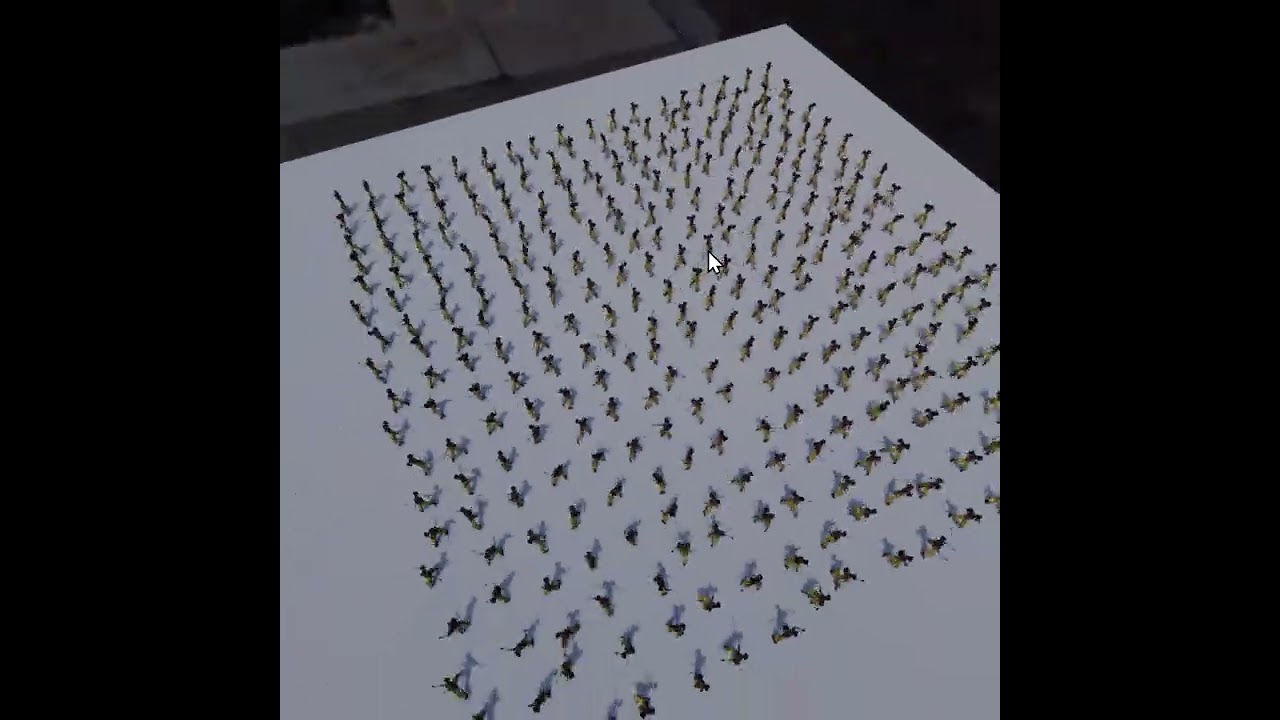
Just a small update, got skinning to work properly.

No instancing, 324 characters each with their own skinning information playing its own timeline

And here’s 2,500 characters, because why not?

5 Likes