The second one does look better though (to me). @dubois Can you show a 3rd image of what you think would look even better than gamma 2.2? EDIT: I guess it really depends on what the use case is. A scary game may intentionally make things darker. Also when emulating cameras, the first image is reasonable when a window has bright light coming in, I see mobile phone cameras often making interior too dark when focused on a bright sun-lit window. I guess the question may really be: do you like more light, or less light? Or do you like higher contrast or lower contrast? Or which camera do you use and does it have HDR or not?
This is called exposure, in case of an interior it would make sense to overexpose the windows and sun spots.
Gamma is a tricky subject. There is, of course, the monitor response, which in typically gamma 2.0 - 2.4. But that’s physically motivated.
Beyond that, it’s essentially color-grading and luminance compression (tonemapping-ish).
Here’s what a typical output shader would look like:
- Take linear scene color
- Apply exposure
- Apply tonemapping
- Apply OETF (optical-electro transfer, i.e. gamma)
The reason, I guess, that my shots look too dark is the GI mostly. Modern games that rely on GI tend to use much brighter lights, because the luminance in the scene mostly comes from lights now.
Take “ambient” term in three.js. Let’s say you’re looking at an object in shadow inside a dark room with a tiny window. The object looks somewhat bright, because of that “ambient” hack

However, if we remove the hack, the outside light needs to be, probably, orders of magnitude brighter to produce the same appearance

A lot of the final appearance is a matter of taste and artistic intention.
Exactly that. Games rely heavily on lighting to create the right mood.
There are other aspects, such as taste, purpose, monitor and viewing environment and biological differences.
Taste
This one is easy, some people like brighter or darker, more or less saturated scenes. Contrast is one of these preferences too.
Purpose
If you’re playing a shooter, let’s say, you probably want a decent amount of contrast in the scene so you can tell what to shoot at apart from the environment. An exploration game might be different and not care so much about detail, valuing the overall appearance more. For technical visualization the lighting goals will be totally different prioritizing faithful color reproduction and readability.
I’m a bit stuck here, because as a maker of a graphics engine I can’t make too many assumptions about the purpose. So I’m trying to go for realism mostly and expose enough parameters to allow the user to get as close to their vision as possible.
Monitor
This is probably super obvious to some and not at all to others, but different screens have different brightness and even color response. If you ever watched a piece of media you were familiar with on a different screen and thought to yourself “wow, this looks totally different” - you know what I’m talking about.
HDR is one of these things too.
Viewing Environment
A common example here would be viewing something on a screen outside on a bright sunny day or in a dark room. But color of the environment around you also plays a part. Just as an example, if you’re in room with bright green wallpaper - everything you see on screen will be heavily shifted away from green, because your environment is flooded with green light and it takes “more green” for you to notice it.
Biological Differences
The obvious one is color-blindness, for example about 8% of men are colorblind to some degree.
But this goes further. Some of us humans see darker tones better, some have better contrast sensitivity, some can differentiate chromacity (shades of color) better etc.
So yeah, it’s a really complicated topic 
Back to final grading, what about this?


And since I was talking about GI, here are the same shots but with the standard environment mapping only


3 Likes
I mean, there definitely should be occlusion in both these last shots but, I literally see just black. I’m not near my computer at the moment I can try editing to show what I mean. Wouldn’t a histogram show a lot of values towards the bottom though?
When people used to take architectural photos, it wouldn’t be uncommon to bring additional lights. Like you are shooting only with the sun coming through the windows, you don’t want to turn on the lights inside the room, but you do bring big reflectors and such.
Auto exposure would probably light up the tunnel and overexpose what’s outside.
1 Like

This one didn’t even get washed out which is kinda weird but looks a lot better imo:

This one is a bit oversaturared:

Much better because it’s all white:

Again a bit over saturated and lacks contrast:

I would be super curious to see what the Sponza would look like if the inverse of this were to be applied to all the textures.
I did archviz for 15 years, when GI became available, exteriors got an amazing kick, the contrast was fine. But when rendering interiors something was off. Even if we did all the calculations, you could barely see the details. “Linear workflow” improved this. And I think it’s best seen in the dining room shot.

Not quite sure what is going on here. In the real world I don’t think you would see any artificial lights glowing here because the sun is much stronger?
To me it feels that there is definitely something going on with gamma, regardless of which screen between 2-2.5 you look at. All this (expensive?) GI is really hard to see. I imagine you are already doing everything right as far as the correct spaces at correct phases go, that’s why I’m really curious what’s going on.
In this last shot it feels that between the sun, the sky, and these artificial lights, their intensities are totally off relative to each other.
1 Like
Yeah, exactly! It seems there’s no meaningful way to determine which one is best other than the author specifying what the final result should be (and then people agreeing or disagreeing based on all the other factors).
The higher-contrast screenshots look more realistic to me (better, in my taste), though the shadows may be a tad too dark as if I’m viewing through a camera that is focusing on bright areas (where if I tapped on the dark areas then those would be clearer but the bright areas would get blown out), rather than my actual eye (based on my eye I think I’d see higher dynamic range in real life).
1 Like
True, I retuned the scene a bit from the original, the lights have emissiveFactor cranked up to 10 whereas the sun’s intensity is only 5.2
So yeah, the lights glow, but it’s accurate.
It’s funny, but you’re the first one to notice it, most people just go “ooh, pretty lights” 
That’s actually what I was working on over the past few days.
Shade is a deferred HDR renderer already, so tweaking exposure values is quite easy, I wanted to add automatic exposure feature for a while. Also known as “eye adaptation”, just never got around to it.
Here’s what the automatic exposure looks like:


Still working a few things out, but the general idea is pretty standard:
- Build a histogram in log luminance space
- Calculate average scene luminance, excluding fraction of lowest and highest luminance values
- Calculate exposure scale targeting mid-tone gray value (I use 0.18, which seems to be standard in the industry)
I was somewhat lucky, in that my bloom runs downscaling passes, so I already have stabilized lower-res image to build histogram from, making this automatic-exposure feature practically free in terms of performance.
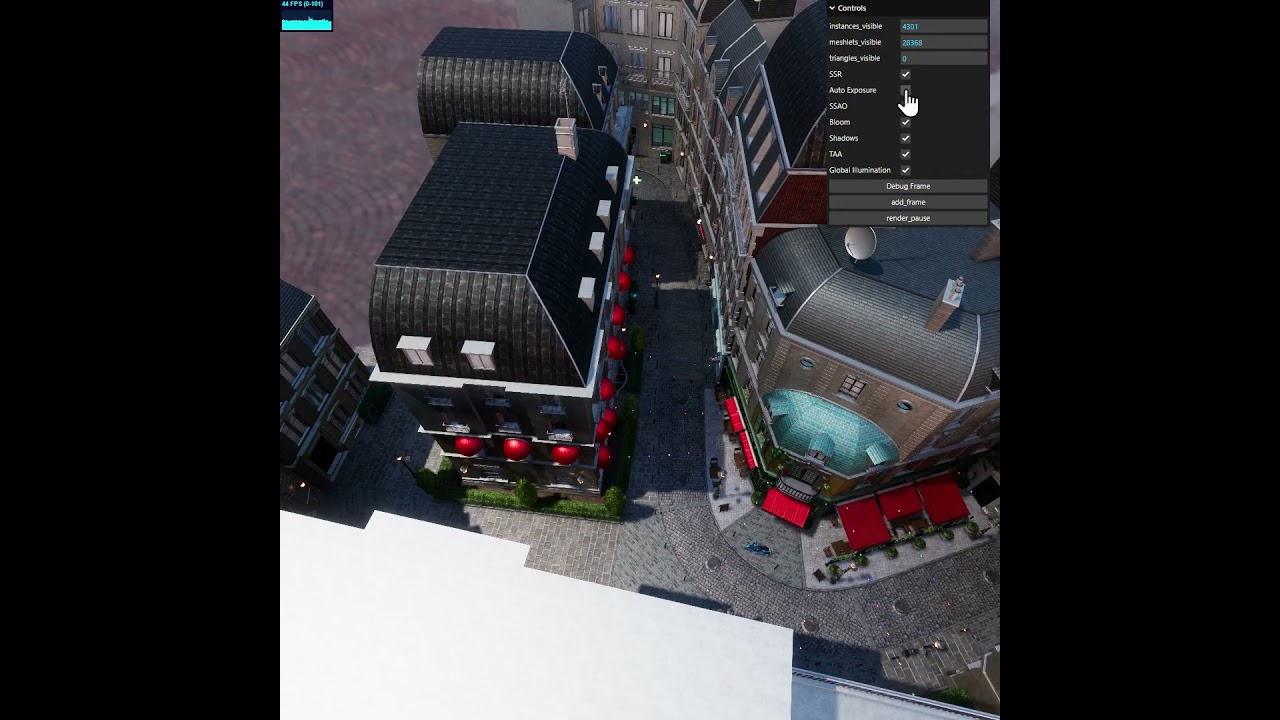
5 Likes
Lol yeah, this should be several orders of magnitude in suns favor?
1 Like
Regarding realistic rendering, I wonder if you are familiar with Gaussian rendering. As far as I know, PlayCanvas currently has the best Gaussian rendering effect.
PlayCanvas Open Sources SOG: The WebP of Gaussian Splatting | PlayCanvas Blog

2 Likes
Yep, reality is often boring in terms of looks. When you make games, outdoor scenes all look about the same during day-time. This is why interiors and night-time are so common, you can have much more interesting lighting.
This is a tough one. Gaussian Splats are pretty hot, but from my perspective it’s a very niche technology.
Gaussian splats are inherently badly suited to the way GPUs work. It’s all transparencies, you have to do sorting and there’s little in a way of occlusion culling that can be done.
Gaussian splats are very static, you can’t re-light them, well, you can, but with a lot of effort. Composing them is a pain too.
Gaussian Splats are a great technique, but one that’s quite limited in application. Maybe I’m wrong, time will tell, but splats so far have seen very limited use in real-time rendering, outside of rendering just the splats themselves.
As far as this specific demo goes, here’s what I get:


I reckon it’s not quite as ready as PlayCanvas guys would like it to be.
2 Likes
Been working on CSMs some more, figured out cascade blending
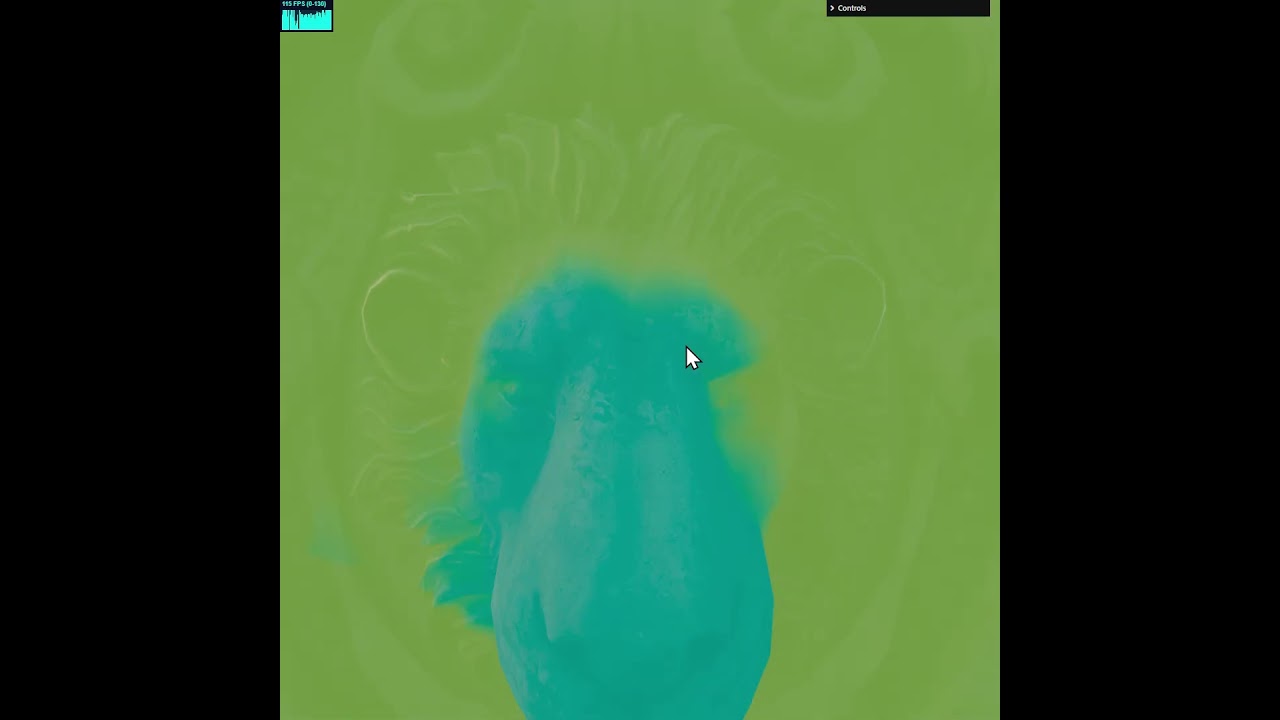
My CSM implementation is a little unusual, I switch cascades as late as possible, using the highest available resolution cascade.
Most CSM implementations choose cascades based on view depth, the problem with that is - you waste a lot of high resolution shadow texels, in my experience easily upwards of 50%.
I figure - GPU already spent the effort to compute those shadow texels - why not use them, and get perceptually about 20-50% resolution increase in your shadows.
This is not new, and MJP showed this in his code too (see below). The problem is in blending, if you use cascade projection matrix for choosing a cascade - blending becomes non-trivial. So I spent a lot of time working on that, and finally cracked it.
Video shows blending of 5 cascades, the blend margin is exaggerated for demonstration purposes and cascades are pushed to the near plane for the same reason.
The result is a perfect forward-only blend at the cost of a bit of ALU.
MJP’s Shadow playground repo:
3 Likes
Meant to post a link?
1 Like
My bad, thanks! (fixed)
1 Like
meep Was it completely rewritten from scratch, or does it heavily reuse three.js objects and undertake deep extension development based on the three.js renderer?
1 Like
Meep’s renderer is three.js, heavily modified to be Forward+ with post-processing, decals, particles, virtual textures etc.
Shade (this thing) is a complete from-scratch implementation, there are no third-party dependencies.
Can Shade be used on meep? Your setup looks great. I’m thinking about trying to develop a game with meep, but I don’t know where to start.
A very basic meep project would look like this:
import { EngineHarness } from "@woosh/meep-engine/src/engine/EngineHarness.js";

/**
 *
 * @param {Engine} engine
 * @return {Promise<void>}
 */
async function main(engine) {
    await EngineHarness.buildBasics({ engine });
}

const harness = new EngineHarness();

harness.initialize({
    configuration(config) {

    }
}).then(main);
The EngineHarness is a utility that configures the engine for you with some sensible defaults. The buildBasics gives you:
- Scene with a piece of flat terrain
- Orbital camera + keyborad controls
- Shadowed directional light
Hope that helps.
For the graphics, if you’re not using skinned meshes - I recommend using ShadedGeometry component, which is the same thing as three.js’s Mesh. Here’s what adding a cube would look like:
new Entity()
   .add(new Transform())
   .add(ShadedGeometry.from(new THREE.BoxGeometry(), new THREE.StandardMaterial())
   .build(dataset)
Where the dataset is engine.sceneManager.current_scene.dataset. You would typically cache it somewhere.
If you want to load a GLTF, here’s how you’d go about it:
new Entity()
   .add(new Transform())
   .add(SGMesh.fromURL("url/to/model.gltf"))
   .build(dataset)
The actual loading part is going to go via asset management system, which does caching under the hood. You can pre-load assets for an app/game, but you can just rely on the streaming capability and it will will load assets on demand for you.
I suggest using an IDE that lets you search through the code base, as meep probably contains anything and everything you might want from a production-ready engine, including documentation. But it doesn’t have a good overview and documentation is not hierarchical.
1 Like
Worked on Sparse Volumetric light maps.

In a nutshell it’s just another sparse voxel data structure. My implementation is, no doubt, different from EpicGames’s own.
I’m using 4x4x4 probe grid with intermediate nodes having very wide branching factor of 64 as well (4x4x4).
I liked the parameters that Unreal is using, of limiting both total memory as well as the lowest level of detail, which is common in sparse grid implementations.
Here’s Bistro scene with just 1Mb limit. This is roughly equivalent to a 512x512 lightmap texture in 2d, except surface light maps require unique UVs and you typically get very little detail out of 512 resolution texture with a lot of light leaking. There is also no directional response.
My implementation encodes second-order spherical harmonics for each probe (9 coefficients), encoding RGB channels as RGBE9995 (4 bytes).
So far only worked on the structure, actual bake is yet to come.
I’ve been eyeing sparse voxel structures for a while now, and have been studying them roughly since the GigaVoxel paper by Cyril Crassin but never really implemented anything for the GPU before. I was always the BVH-kind of guy.
It’s a fascinating topic.
Stats for the scene:
Total memory usage: 1.000 MB
Node count: 609
Unique probe count: 24,025
Probe reuse: 38.36 %
Unexpanded nodes: 15,714
Again, note that there is no GI going on here, only the structure of the probe tree and the algorithm for building it from a given scene.
4 Likes
More work on the Sparse Volumetric Light Maps
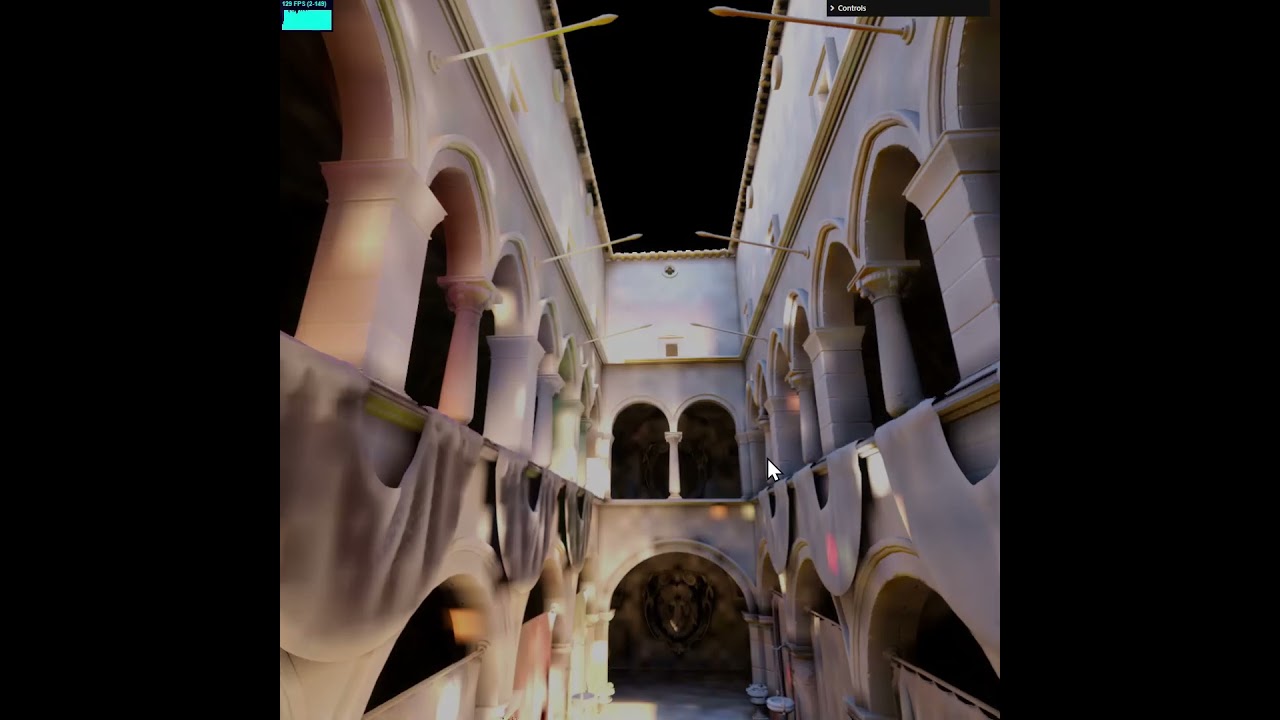
Still work in progress, added baking, but no denoising and low sample count as of yet.
This is 363,722 second order spherical harmonics probes, encoded as RGBE9995.
The bake is done on the GPU and takes 14s on RTX 4090.
Bake settings are 1024 samples per probe, and 7 bounces.
8 Likes