


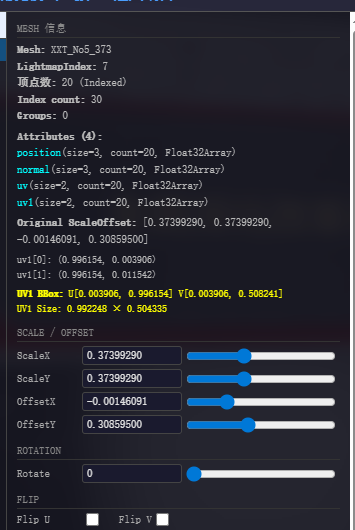
I am currently using the UniGLTF-1.27.unitypackage plugin in Unity to export models to GLB format and then loading them using Three.js. However, I have encountered a major issue with loading the baked lightmaps—a problem that has been plaguing me for over two weeks. The lightmap rendering consistently looks incorrect. I created a mapping table in Unity to track the relationship between models and lightmaps, including the `scaleOffset` values; yet, in the Three.js scene, the positioning of certain lightmaps remains wrong—as shown in the image I provided—while others display correctly. I am at a loss as to where the problem lies. Could an expert please help me resolve this issue?

this sounds like it could possibly be a texture flipY issue, after loading the model can you try toggling lightMap.texture.flipY = false / true and see if that helps
Thank you for your reply, but I have already tried that method and it isn’t working.
I’m not familiar with UniGLTF, is it generating uv coordinates for every mesh the light map is using? can you provide a simplified model such as a few cubes with baked lightmaps as a GLB? something worth a try could be opening your model in blender to verify everything is right and re-export from there, also try viewing your current model in https://gltf-viewer.donmccurdy.com to assess whether it looks correct, if it does you have a code issue, if not then it’ll likely be a model issue…
Thanks for the reply. UniGLTF is essentially just a tool for exporting models to the GLB format within Unity. Do you happen to know of any good tools for exporting models to GLB from Unity, or could you share a workflow for moving from Unity to Three.js? Your previous suggestion sounded like a great approach, but I’d like to ask about the specific workflow of exporting a model—along with its lightmaps—to GLB from Blender, and then loading that GLB model in Three.js to display the lightmaps. Are there any tutorials covering this process? My main question regarding this workflow is how to ensure the model correctly recognizes and displays the lightmaps. I’m currently using AI to handle the loading of the model and lightmaps in Three.js, so I’m relying on it to automate the lightmap loading as well. That’s why I’m really keen to find a tutorial for this specific workflow. I would be incredibly grateful for any help you could provide.
does your model look correct in the viewer link provided above? importing a GLB to blender is straight forward, you just use file->import->gltf (if gltf option is not available you’ll need to install the gltf extension), check if the model looks all correct by switching to material or render view, if it looks fine then exporting is just as simple (ensure your materials are principled bsdf) and use file->export->gltf, select GLB option if you want a binary output (typically smaller in file size) you also have the option of draco compression, you may need to store the light map textures in the ambient occlusion channel and switch them from the ambient occlusion chanel to the light map channel in three.js, heres a basic tutorial on exporting from blender to gltf… https://youtu.be/oQUPYvX97cU?si=TufZGJfsTUv-T2xu
Yes, my model displays correctly on the website mentioned above. If I export the GLB and lightmaps from Blender, is it possible to use a JSON-based mapping table (similar to a lightmap map) to let Three.js automatically recognize and apply the lightmaps? That way, I could hand the task over to an AI to automatically match the lightmaps.

Do the lightmaps show up correct in Blender? If you can get it working right in blender, it should be easier to get it back into threejs.
Once you load it in blender, you can open its UV inspector and see how the loaded rectangles lie on the lightmap and figure out if its an orientation/scale issue or what.

Thank you so much for your reply. The tutorials I found online say that GLB files exported from Unity don’t include lightmaps. So, do I need to import the GLB model into Belder and then re-baked it? I’m a complete beginner with Three.js, so this might be very troublesome for you.
GLB files can include lightmaps I think. GLB supports multiple UV channels.. and lightmaps often live in a second UV channel.
If you can send me one of your GLTF files I can take a look at it.
If you want to chat directly about it.. hit me up on discord.
And to be clear.. I’m not saying you will have to export from Blender, but I think we can use blender to figure out why your lightmap export isn’t working.
Okay, thank you so much for taking the time to answer my question. How can I send you my GLB file? My GLB file was exported from Unity, and the information I found suggests that GLB files cannot be exported from Unity with lightmaps. I’m unsure whether it’s even possible to export lightmaps from Unity. So, how can I find you on Discord, and how can I send you my GLB file? I hope you can reply when you have time. I apologize for taking up your valuable time.
I sent you a DM. 
You might also be able to just drag your .glb file into this chat if it’s small enough, or if you have an example that is small.

i checked on internet that lightmap also include the shadow the object will have but how the object will know where to extend the shadow if the direction light of the baking is different from the light of the videogames, unless you bake the lightig usign the same lightign, position and settings and everything else also this will only work if the directon light doesnt move correct??
Correct. You only want to bake the light and shadows for static objects.