Virtually Geometric

au contraire

It’s an interesting thing to think about. The Nanite presentations talk about the asset size angle a lot actually.

Say you have a 2GB asset, and you “Nantize” it, it’s probably around 2GB now, maybe a bit more because you have some redundancy and more information in general. How do you fit all that in the GPU memory? - well, you don’t. You fit the metadata onto the GPU, and you split the data into fixed-sized packet, so you can upload them onto the GPU on-demand. In fact, that’s how it can run so fast.

Where does that bring us on the web? Imagine loading a 2GB mesh in milliseconds? Well, you can do that by just downloading the metadata and just the packets that contain clusters of your target resolution.

Better yet, you can download those clusters in a progressive order, starting from most coarse LOD level, and the mesh will appear more defined over-time.

From my experience doing some unscientific residency testing, I found that unless you’re doing a demo zooming in on every part of an asset and spinning it around - you’re typically below 20% utilization, that is - you’re only ever interacting with up to 20% of all of the clusters. And it scales really well, that is - the larger the asset - the lower the utilizaiton.

Just like with the virtual textures, I think this tech is suited for the web very well.

The problem is in complexity that comes with nanite itself, and then data structure design and the whole memory management system. I’m quite comfortable in that area, but even I didn’t go for it yet, as it’s just a massive amount of work.

I’ve seen a lot of people use Draco on the web to save on traffic, even when the mesh are not that big and were explicitly designed for the application, the argument goes that it saves precious time-to-first-contentful or whatever you may call it.

Personally - I hate Draco, with a passion. I think it’s one of the worst things to happen to 3d on the web. It’s implementation is trash, as it spins up 4 worker threads by default and hogs that resource forever. It’s incredibly slow to decode assets, making it more of a coin-toss whether on a good connection you’d just download the unpacked asset faster or not. You just added a ton of complexity to your pipeline for dubious gain.

Virtual geometry on the other hand is naturally streamable, and allows you to offer meaningful content to the user at as low as 1 cluster’s worth of data transfer, something like say 128 triangles, with 19 bytes per vertex, or around 2.47 kb per cluster. That’s it, no matter how large your actual dataset is - you can draw a very-very coarse 128 traignle representation of it for the user with just 2.47 kb of data needed to be transferred.

You can then apply whatever your favourite type of compression to it or just configure the webserver to gzip it.

11 Likes

Interesting, how you use custom meta data to define geometry. The physical model’s extensability is the nature of the request. It’s like logarithmic scale from a universe (geography) to an atom (biology). And your fluid LOD uses superpixel patches. With discretion, select deterministic simulations could run outside of screen space… for instance a tracer bullet trajectory. ROAM could further implement dynamic systems to account for complexity, tortuosity, continuum. This is the antithesis of a superresolution upsample.

The core asset library is vital to utilize memory. This may elicit even deeper relationships in an abstract layer. For example, Metahumans use poses and Intelligent Scissors use targets. A modern node system may use generative breakpoints to affect a hot loop.

Or some such multivariate ethical consensus to progress.

Cheers,
LAN Sk8ps

I did :blush:

It is not yet as efficient as I would like it to be, but I will solve that. Since I only work with three.webgpu.js, WebGPU offers exactly the right techniques, but these still need to be implemented in threejs. This could already be done much more efficiently, but not in the modern way that webgpu could. I already have an issue in the developer forum about one of these points. In webgpu you can let the GPU decide for itself whether something should be rendered or not. drawIndirect + compute shader. But DrawIndirect and the associated peripherals are a major construction site.

11 Likes

I loved the WebGPU nanite works, a million model existing all at once in a single scene is amazing, can you make a version where we can load gltf models, that would be awesome.

Here are the same lod simplifier project I used before but its obsolete, I couldn’t be bothered diving into the code (I am hooked up on my day job), it can load gltf and simplify the gltf model, but it is lacking the capabilities of virtual textures where when the camera is far the texture should also be reduce down to lower resolution.

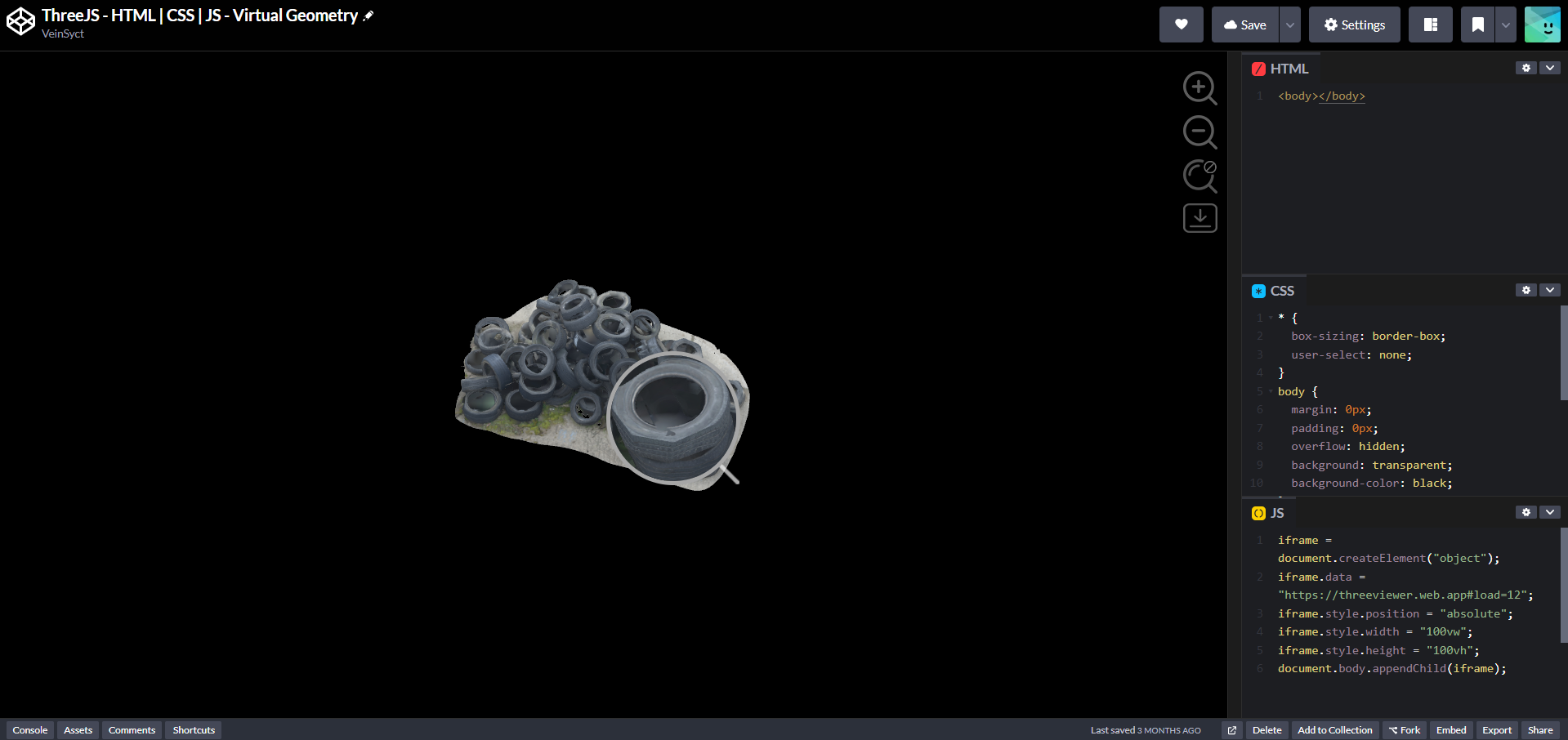
Zoom out and use the magnify glass to see the level of details turned to low poly

Observe the mesh changes from high poly to low poly as you zoom out.

The tires curvature is smooth

The tire curvature becomes low poly as you zoomed out

Demo

Source

To zoom out hit key “O” for orbit, then mouse wheel to zoom out, then observe how the mesh reduce polygons as it goes further and further from the objects.

The simplifier works just as well as the threejs nanite using threejs simplify mesh and uv mapping.

The difference with this approach and nanite is the nanite demo works on few model to exist in quantity (which doesn’t happen in practical use unless you want to exhibit an army of a few models) while the simplifier works on different models which works on practical application such as the demo above.

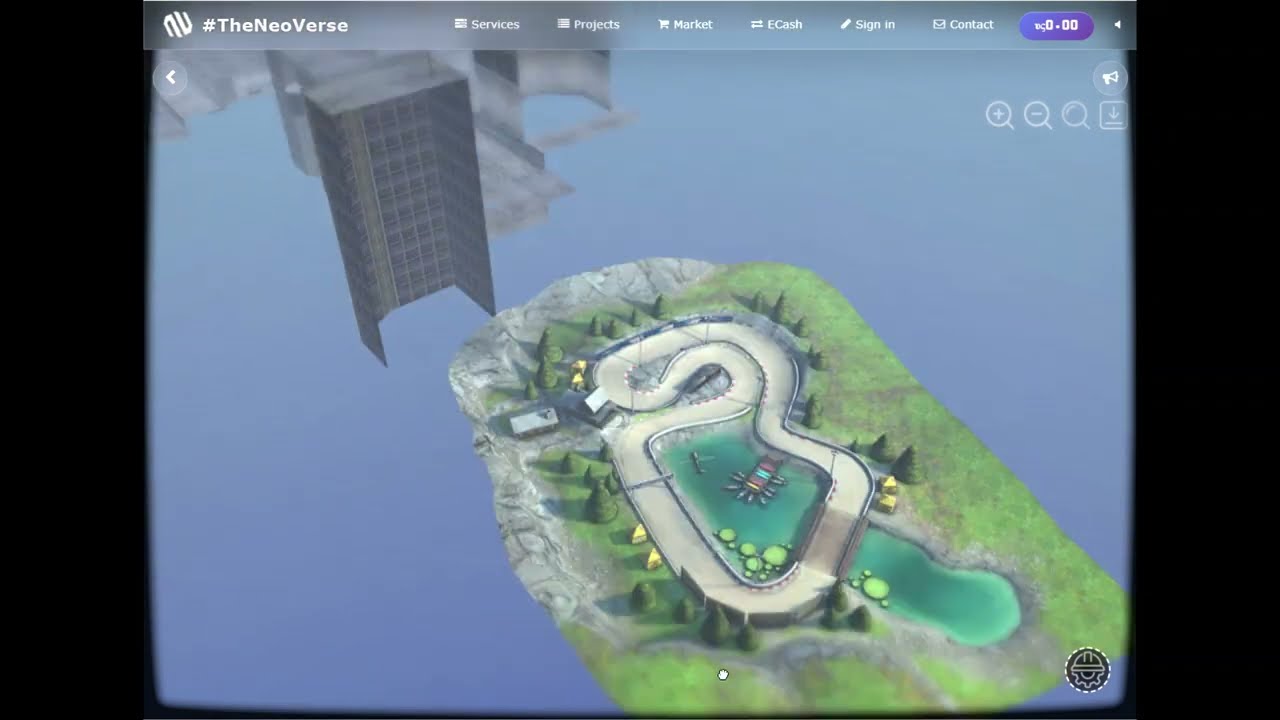
The Crateria City is a demonstration of virtual geometry where farther away mesh crunched to its simplest to ease browser memory.

Resources:

Crateria City

Serini & Suron City

Live Demo

LOD using mesh simplifier implementation makes three.js + cannon.js smooth character & vehicle movement possible.

Other samples:

  1. Sandyards Market
  2. Suite
  3. Speed Way
  4. Vista District
  5. Underground bunker
3 Likes

did you make it open source in the end? :folded_hands: :sweat_smile:

1 Like

I am a bit late to the party.

One open-source implementation of a similiar tech I have found is here: GitHub - cnr-isti-vclab/nexus: Nexus is a c++/javascript library for creation and visualization of a batched multiresolution mesh

Here they use the name multiresolutional meshes, but the tech has the same idea. This disseration also sums up the idea of this tech: https://vcg.isti.cnr.it/~ponchio/download/ponchio_phd.pdf

They developed it with the background displaying very high resolution scans of objects, but I think it could also be used for other stuff.

3 Likes

Sounds like Google Maps or Apple Maps in 3D mode!

Yes, there is. I made an open browser-based version available and shared it as a reference for virtual geometry and LOD experiments. You can check it here:
https://theneoverse.web.app/#threeviewer&&construct

to show the drag & drop modal click “construct” button:
image

you can load GLB files directly in the browser, including levels, characters, and vehicle models, which makes quick prototyping and experimentation much easier.

here are sample GLB’s i downloaded from SketchFab: https://drive.google.com/file/d/1g4LZUEn3W2vQUtg5x9YcxiE52nYmiR2b/view?usp=sharing

here is the book discussing #threeverse virtual experience engine:

Virtual Experience Engine.pdf (5.0 MB)

I prepared this documentation for anyone to continue this project.

Enjoy!

To build the source code first you will need to download the threejs-main from github, then you will need to place the build in a folder assets/js then place the sample/jsm in assets/js then on your main folder you will need this files:

crt-screen.css (7.9 KB) - this are the effects that makes it looks crt like

style.css (1.5 KB) - this is just standard style

construct.html (71.3 KB) - this is the html that you need to open

index.html (771.5 KB) - this is the html main (the contruct.html calls this)

and the most important part is this two in assets/js:

index.js (2.4 KB) - this is what initiate three.js (just standard three.js initiate), this is a 4 year old code so you must update it. I never updated it.

interactive.js (138.2 KB) - this is the file that controls everything. (sometimes when there is a issue on three.js update you also have to update). This is where I put all codes and its accessing three.js libraries.

or just use the GitHub: https://github.com/VeinSyct/ThreeJsCannon

i prefer to work locally all the libraries downloaded because it’s fast and also stable avoiding the issue of cache and all online issue that makes me guessing is the internet on or off. working offline is consistent.

Good luck!