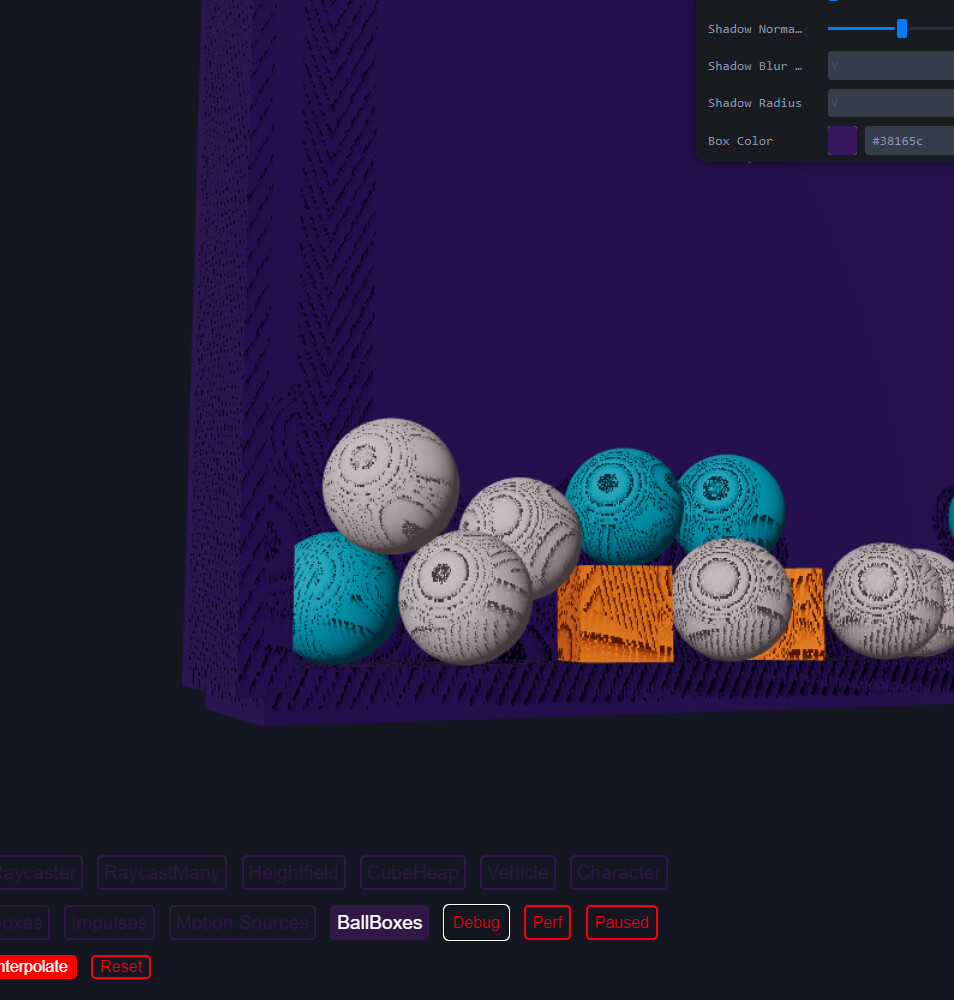
I’m fighting some shadow acne and decided to use VSM shadows.
I have 1 directional light and an ambient light. I was getting murderous acne even with all the standard bias/map size adjustments.
Once I got VSM shadows dialed in things look good:
But once I resize the window, the shadows explode:
marking the map with needsUpdate = true; does nothing.
How can I reset the shadows? Is there any decent shadow guide? Seems like a constant nightmare.
This ended up being related to r3f doing something on the window resize.
If I set shadows="variance" on the it was able to survive window resizes and other re-renders just fine.
What the explosion is or it’s cause is unknown…
Here is a minimal R3F example of using VSMShadowMap that works without your fix. You can resize the preview window and it is ok.
VSMShadowMap works best on Directional and Spot Lights
Thanks for that, love your site and examples btw (Gerstner waves is my favorite)
The issue was I’m making a bunch of demos that have a single shared Canvas. So I didn’t set the shadows on the canvas but using:
const { gl } = useThree();
gl.shadowMap.type = THREE.VSMShadowMap;
Which when the window resizes (or even a global react-rerender) causes something to reset and make everything look weird.
Doing it on the canvas doesn’t have this issue (like your example)
So I switched to that. Although that makes shadows on my other demos much heavier