Is a CodePen example acceptable? If the problem is where I think it is, I should be able to cut the multi-panel program down to that one colorful panel.
Fair i guess, but within the then or after await it is a synchronous method. The whole app might be running after several chained promises so i wasn’t considering what happens above the problematic calls 
I just went by the error and a glance at the source code. I figure you have multiple async calls and thus multiple potential points of failure. I figure then that the sync methods might be safer. But as pointed, the init method is async as well.
But i guess that is what we want no? You call X() and three complains that something hasnt initialized. You then call init and HAVE to wait for it, i just don’t see any other way. Maybe you can run a setInterval and check if it has inited, since it does return that value. But the point is, if you want to do something with three, and three says that Y is not initialized, you have to do that something after it has initialized.
So for all intents and purposes, you could just run init first and then run all of your code, i think at least.
Yes, I would copy the code over to a fiddle though since the latter ones can be edited and saved without an account.
@Attila_Schroeder Is the OP’s issue maybe related to this change?
It seems it was the only larger change in context of compute shaders.
1 Like
I will see if I can create a fiddle. In the meantime, here is a short CodePen example (142 lines) which shows the problem.
This shows the distorted Butterfly texture in r179. You can eliminate that distortion by either: (1) reverting to r178; or (2) removing the Async from line 130.
You can shorten the example even further by removing the performance panel.
Yes, my WebGPU version is a simplified version of Attila’s Wave Generator from about a year ago.
I don’t think the improvements he proposed would have caused the current problem since the problem illustrated in the CodePen appears following a garden-variety shader set-up and execution. (But let me know if there is a problem with my code that r179 has exposed.)
I tried some code, you can download it under Ocean_Wave_Gen on my GITHUB here: GitHub - rcman/silhouette
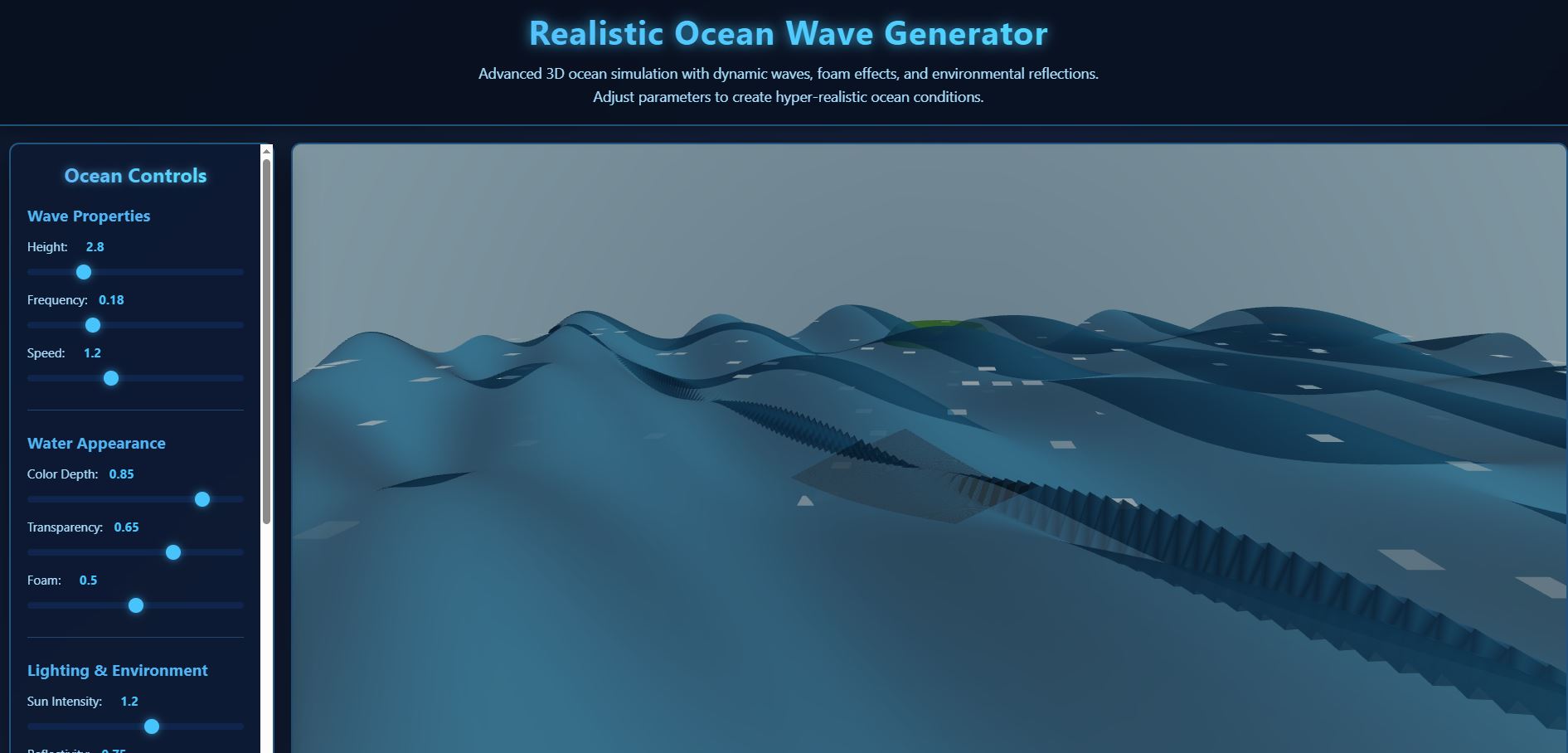
Try in your codepen example in line 130:
renderer.computeAsync(butterflyComp,[1,8,1]);
remove the second parameter:
renderer.computeAsync(butterflyComp);
or make it larger:
renderer.computeAsync(butterflyComp,[10,10,1]);
If you pursue this strategy, the relevant object log would be this.computeShader in the buildCode function of WGSLNodeBuilder.
While the butterfly texture looks pretty, the numbers that make it up are part of a pre-computed series used to speed up the computation of the iFFT waves. So, if the dimensions were to change, it would be useless. See this discussion.
Your suggestions indicate that, as I suspected, the function for parsing the numbers within the square brackets may be broken in r179. Or perhaps the syntax has changed and I didn’t get the memo.
ADD Aug 8
It turns out that you were correct. I would have realized this if I had not mistakenly assumed that the second term actually did something and/or had tried your suggestions [see message from jeromehuang1984 below]. My apologies for doubting you. 
I am beginning to wonder about the Timestamp. When I removed the performance monitor from my short program, I got a message that essentially said that the Timestamp was not needed. So is the Timestamp only needed because I am using the performance monitor?
Thanks. Does your Wave Generator use a Butterfly texture? If so, does it work with r179?
I found the answer. In this line:
renderer.computeAsync(butterflyComp,[1,8,1]);
I simply needed to insert the term uniform before the square brackets.
renderer.computeAsync(butterflyComp,uniform[1,8,1]);
The module is working again and all errors have disappeared.
4 Likes
I added the butterfly, it’s in the same directory with the other.
Franco
1 Like
renderer.computeAsync(butterflyComp,uniform[1,8,1]); the uniform is an object, the ‘uniform[1,8,1]’ should be invalid in javascript grammar; I cannot believe it works. 
I add a break point on this line of code. I found uniform[1,8,1] be evaluated as null.
so,
renderer.computeAsync(butterflyComp,uniform[1,8,1]);
is equal to
renderer.computeAsync(butterflyComp, null);
renderer.computeAsync(butterflyComp);
1 Like
I meant to do that! 
You are absolutely correct. Apparently, the problem was that the second term (the [1,8,1]) was superfluous and r179 refused to process it. As you discovered, inserting “uniform” allowed it to slip through as a null.
Thanks to you and PavelBovtchev (see above) for providing the correct answer.
2 Likes
I apologize for the somewhat late reply. My niece is visiting at the moment, and I’m always a bit less active when she is visiting. I think it’s very unlikely that my extension is responsible, since I always test my extensions on my apps myself, and I have an ocean generator that works very well with it.

When working with dispatchSize, the user have to make sure it’s large enough. WorkgroupSize and dispatchSize must always match, otherwise the compute shader won’t process everything. Since there’s some freedom in thread distribution, this can’t be optimally automated on the Threejs side, so it’s up to the user to take care of it. I’m discussing a possible dispatchSize node in the developer forum to simplify things for the user.
I have already implemented the workgroupSize and dispatchSize extensions in my repo on github.
1 Like
Hi Phil, I’ll be more active again next week. The second term in renderer.compute( someCompute, [ 1, 8, 1 ] ); is ineffective if you don’t use the computeKernel, for which you have to specify a workgroupSize.
1 Like
I have to correct myself. Anyone who has previously specified a dispatchSize in
renderer.compute( someCompute, [ x, y, z ] );
will indeed have problems with r179, because previously the term was useless. So anyone who specified a dispatchSize believing it would work was actually using something that wasn’t processed by Threejs. However, anyone who now has this second term with r179 in it without using the computeKernel will indeed have problems. Because with r179, specifying a dispatchSize now works, and this also expects a correct workgroupSize. So yes, my extension is the cause.
3 Likes
I look forward to learning how to use the computeKernel.
Perhaps this is something that should be eventually added to the list of changes for r179, something like “r179 now parses the working group size parameter in renderer.computeAsync commands. Before using this parameter, programmers should now set a workinggroupSize”?
In the meantime, this discussion (including your comments) should serve as notice that this has happened.
No rush. Enjoy your vacation. And thanks for all your hard work making WebGPU better.
1 Like