How to port vMapUv to TSL?

I’m trying to port a WebGLRenderer shader patch from onBeforeCompile to TSL nodes for WebGPURenderer, but no luck yet.

Here’s the old code, working:

			// threeMat is a MeshPhysicalMaterial
			threeMat.onBeforeCompile = (params, renderer) => {
				params.fragmentShader = params.fragmentShader.replace(
					/*glsl*/ `vec4 diffuseColor = vec4( diffuse, opacity );`,
					/*glsl*/ `vec4 diffuseColor = vec4( diffuse, opacity );
						float edgePos = vMapUv.x;
						float pixelWidth = fwidth(edgePos);
						float fade = pixelWidth * 1.5;
						float alphaFactor = smoothstep(-fade, 0.0, edgePos);

						diffuseColor.a *= alphaFactor;

						if (diffuseColor.a <= 0.0) discard;
					`,
				)
			}

Here’s the new code, not working:

			const antiAliasClippingNode = Fn(() => {
				const mapUv = uv()
				const edgePos = mapUv.x
				const pixelWidth = fwidth(edgePos)
				const fade = pixelWidth.mul(1.5)
				const alphaFactor = smoothstep(fade.negate(), 0.0, edgePos)

				If(diffuseColor.a.mul(alphaFactor).lessThanEqual(0.0), () => Discard())

				return alphaFactor
			})

			// threeMat is now a MeshPhysicalNodeMaterial
			threeMat.opacityNode = antiAliasClippingNode()

Is there anything obviously wrong?

Before screenshot (expected):
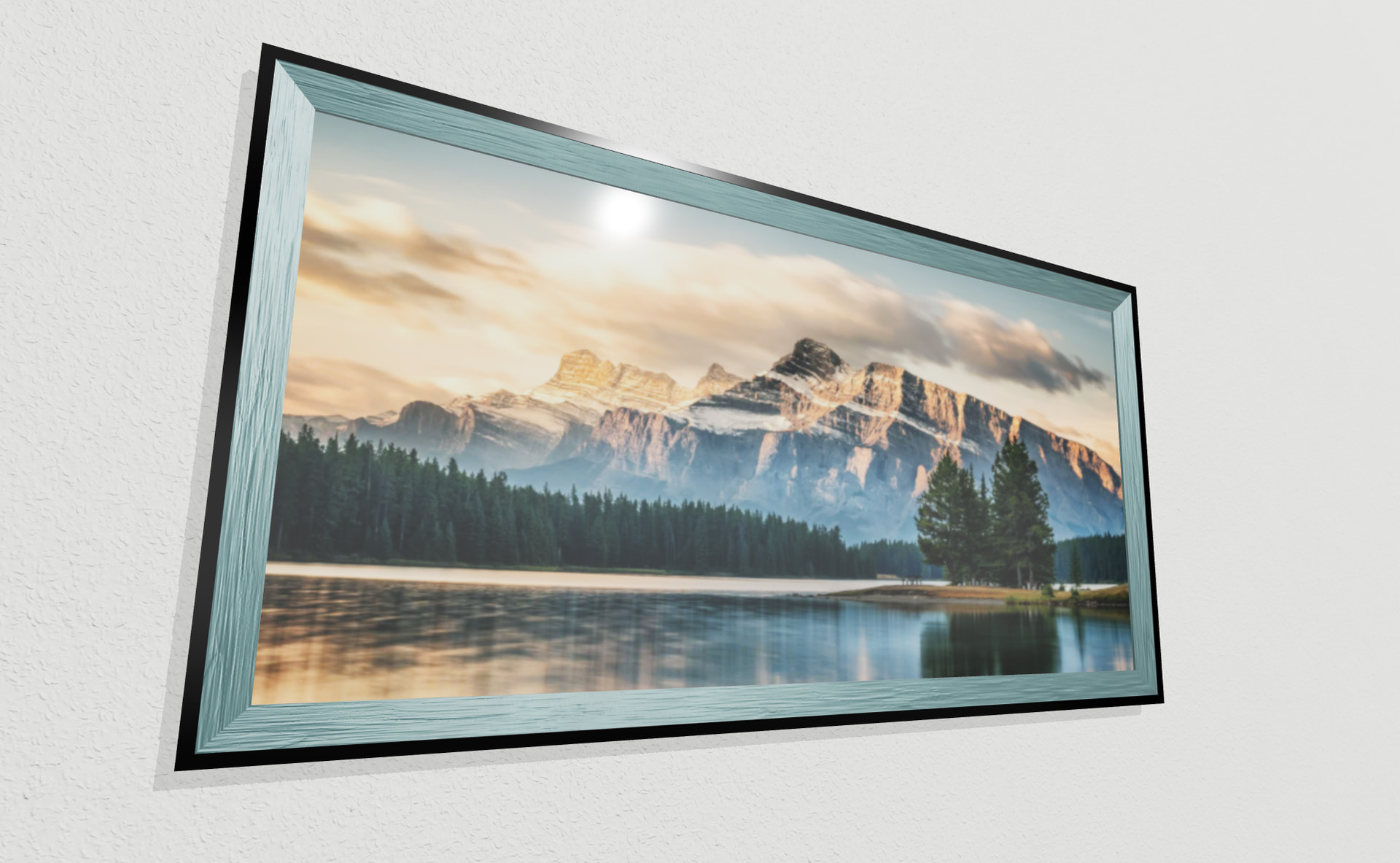
After screenshot (not working):

The reason I’m clipping is so that I can show multiple materials on the same mesh. I translate the texture, and clip/antialias/discard the pixels for the material that should be on top.

In this case the black material should be on top, and when clipped, it should show the teal wood material.

I feel like I missing something small, but not obvious. :thinking:

comment hidden (turned out unrelated)

1 Like

comment hidden (turned out unrelated)

comment hidden (turned out unrelated)

comment hidden (turned out unrelated)

I’ve verified that this TSL code (I put 1337 in there to make it easy to find),

			const antiAliasClippingNode = Fn(() => {
				const mapUv = uv()
				const edgePos = mapUv.x
				const pixelWidth = fwidth(edgePos)
				const fade = pixelWidth.mul(1.5)
				const alphaFactor = smoothstep(fade.negate(), 0, edgePos)

				If(diffuseColor.a.mul(alphaFactor).lessThanEqual(0.1337), () => Discard())

				return alphaFactor
			})

does produce this output code:

	nodeVar1 = smoothstep( ( - ( fwidth( nodeVarying5.x ) * 1.5 ) ), 0.0, nodeVarying5.x );

	if ( ( ( DiffuseColor.w * nodeVar1 ) <= 0.1337 ) ) {

		discard;
		discard;
		

	}

so the real question is, why aren’t fragments being discarded?

Am I using the wrong TSL equivalent for the old vMapUv perhaps?

Ok the conditional discard wasn’t an issue.

I verified the way to handle/discard pixels for opacityNode in this thread, basically this works:

    material.opacityNode = Fn(() => {
        const alphaFactor = float(0.2)

        const newOpacity = materialOpacity.mul(alphaFactor)

        // this works (hard coded 0.2 causes mesh to not be visible)
        If(newOpacity.lessThanEqual(0.3), () =>
          Discard()
        )

        return newOpacity
    })()

Now if I update to try to get the alphaFactor based on the map uv like follows, it doesn’t work, leading me to believe maybe I’m reading the map up wrong:

    material.opacityNode = Fn(() => {
        const mapUv = uv()
        const edgePos = mapUv.x
        const pixelWidth = fwidth(edgePos)
        const fade = pixelWidth.mul(1.5)
        const alphaFactor = smoothstep(fade.negate(), 0, edgePos)
        const newOpacity = materialOpacity.mul(alphaFactor)

        If(newOpacity.lessThanEqual(0), () =>
          Discard()
        )

        return newOpacity
    })()

How do I read the equivalent of vMapUv like when I was using a WebGLRenderer shader patch?

It is uv(), as you already use it. Maybe there is some bug, some, some interference with the rest of the code or an incorrect intermediate value?

When I test uv() with Discard it works as intended:

https://codepen.io/boytchev/pen/xbObOBj?editors=0010

image

It might be easier to debug the function if you convert it to color and use as color node, not opacity node. In this way you can inspect whether edgePos, pixelWidth, fade, alphaFactor and newOpacity all have correct values.

1 Like

Is there anything you could say to motivate a person to use TSL? As is I am terrified of it.

I don’t remember ever encountering a bug with GLSL, and the errors are very easy to understand. Like “you can’t put a float into an int”.

With TSL and WGSL the situation seems far more complex. TSL now has documentation?

With GLSL, if you wrote a shader in 2011, it will work in 2025, nothing has changed? The version is stable? A bug may be encountered but it could be in the drivers for a specific card?

TSL won’t have a stable version ever, correct? With each three release it may be more fixed or more broken than the last time? The API may change completely?

Does anyone know if there will be a ShaderMaterial for wgsl? Is it possible to compile a TSL to a string and then mess with it yourself?

fn compute_opacity(uv: vec2<f32>, material_opacity: f32) -> f32 {
  let edge_pos = uv.x;                 // mapUv.x
  let pixel_width = fwidth(edge_pos);  // fwidth(edgePos)
  let fade = pixel_width * 1.5;
  let alpha_factor = smoothstep(-fade, 0.0, edge_pos);
  let new_opacity = material_opacity * alpha_factor;

  if (new_opacity <= 0.0) {
    discard;
  }

  return new_opacity;
}

Does this sound about right? If you can format a function such as this, you would 100% ensure that it works. Now it does exactly what it should based on some uv. You can pass uv1, uv2, something generated etc, but this method will always do something on a set of “uv”

The ‘uv()’ seems like a magical call. If you use it as an argument instead you could figure out how that works on its own.

Yeah I get the sentiment. Indeed a shader from 2011 will continue to work, and we don’t necessarily get the same stability guarantee from TSL, but I do believe it is the way forward with its composability that makes mixing shader effects much easier, and fluidly integrated with IDE intellisense (well, as the type defa improve over time), plus it is opening the door to new shader GUIs and lower maintenance burden for end users (once anything that needs to stabilize does). It believe in the direction. Patching shader strings is too cumbersome and difficult.

It does seem like I expressed the same intent in the TSL code as the original GLSL code, but something is not quite right, or I missed a small TSL detail somewhere.

We can write WGSL code directly using wgslFn. Maybe I can explore this as a workaround, but it will not be compatible with the WebGL fallback mode, so I’ll need to use glslFn too, and maintain both code snippets. This may still be better than shader string patching.

Here’s the doc on how to write nodes with custom shaders (this doc didn’t exist last time I was looking at wgslFn, so the docs have made progress!):

https://threejs.org/docs/?q=function#FunctionNode

This is a very specific context though? Would you say that “writing shader code (glsl, hlsl, wgsl etc) is cumbersome too?

Yeah, my thinking is if you wrap this entire function in that wgsl, at least you will eliminate the error inside it, once validated, that function would just work and you would be able to compose it.

Putting in something global inside it, or what appears as some singleton is not a good practice I think. Now you depend on this one call that you have no idea how it works. If you declare a properly typed input, an argument, it could be tested in isolation. Eg a completely standalone minimal webgpu application.

Like, what happens if you are calling this on a model that doesn’t even have uvs? From this code it’s hard to tell. Not that it would be much more meaningful if it was just something like vUv but with a convention at least you’d think it’s a varying and thus global.

But still, if you just say it’s an input to THIS function, you can figure out what the uv is outside. Maybe it’s a position of a plane, maybe it’s some other channel etc.

Actually, I’d avoid motivating anyone who already dislikes TSL, because forcing them would only increase the hate. The best approach IMHO would be to just let people convince themselves. If people need something and see it written in TSL that is much easier than in shaders, these people would have stimuli to use TSL. Otherwise it would be better to stick down to vanilla shaders or no custom shaders at all.

Yes, TSL is currently evolving, there are fluctuations, many new things appear, others get dropped or changed on-the-fly. Whether people would use TSL depends on their goals and personality. Those, who are more adventurous, would jump into TSL just like sailors in the past discovered new lands across oceans. Others, who prefer security, would wait to see TSL stabilize, just like traders in the past that used established sea routes.

Comparing GLSL and TSL is somewhat unfair, as GLSL is a standard, heavily discussed and thoroughly designed by a consortium. The first version of GLSL took 20+ years to evolve: starting as Silicon Graphics IRIS GL in 1980s, needed a decade to evolve into OpenGL 1.0 in 1990s, and in early 2000s the shading language GLSL was completely redesigned by OpenGL ARB to become GLSL 1.0 coupled with OpenGL 2.0 and WebGL 1.0.

The companies that took part in various stages of the development of the standard were Silicon Graphics, Microsoft, Intel, IBM, DEC, Compaq, HP, Sun Microsystems, 3D Labs, Apple, ATI, Dell, NVIDIA, and possibly others.

Sorry for such a long retrospection. The bottom line is that hesitating people answer honestly the question “Do I want to sacrifice my time and efforts to learn and use TSL, while it is still being developed?”

  • YES → go for it, your efforts contribute to a better TSL
  • NO → stay with vanilla shaders and enjoy a safer world
3 Likes

But what exactly is a thing in TSL that could be fluctuating? Trigonometry and linear algebra haven’t really changed, which is what makes all shading languages sort of interchangeable. GLSL is basically C syntax? Wouldn’t this mean it hasn’t changed even before it began, in a sense?

I don’t have the theoretical knowledge to understand what is going on here language wise, my layman understanding is that it’s just a different syntax, at the end of the day the GPU will have to multiply some matrices or do a dot product.

I don’t dislike TSL per se, I’m just used to seeing shading languages in most graphics contexts. In unity if I remember, you’d be writing game logic in C# but shaders in something else. Although they would have their own directives to make shaders work with passes and whatnot, but that feels way different than interacting with some library in C#.

So for starters I’m confused, language or not, would it be fair to say that TSL is a JavaScript library? You have to basically write some JavaScript code and execute it, before you even get a shader? At surface level, it just seems like some JavaScript that generates a string. The string being a special valid graphics program, but still a string from a high level perspective.

The language is still technically JS and you need to learn how to interact with this library? some_name() could literally do anything, be any kind of a function. Even if it’s called “uv” you know that “uv()” calls it, because it’s JS.

Even people much smarter than myself seem to get confused:

One person says it’s not a “language” but an “EDSL” another points out that L stands for language :slight_smile:

I’m reading about EDSL and have no idea if it does fit this description or not.

I’d just like to see a sales pitch for this first, before deciding if I like it or not. I admit that I have bit of a bias, but I don’t think that I understand what it solves.

WebGPU renderer is not even on my radar yet, I plan to first play more with WebGPU without frameworks. But I am a bit worried that eventually, when I do end up using the WebGPU renderer, what I perceive as JS will be the only way to write shaders. I don’t know if there is an equivalent of a ShaderMaterial and I’m guessing I would be utilizing that wgslFn() node a lot.

1 Like

But what exactly is a thing in TSL that could be fluctuating? Trigonometry and linear algebra haven’t really changed, which is what makes all shading languages sort of interchangeable. GLSL is basically C syntax? Wouldn’t this mean it hasn’t changed even before it began, in a sense?

I don’t have the theoretical knowledge to understand what is going on here language wise, my layman understanding is that it’s just a different syntax, at the end of the day the GPU will have to multiply some matrices or do a dot product.

I don’t dislike TSL per se, I’m just used to seeing shading languages in most graphics contexts. In unity if I remember, you’d be writing game logic in C# but shaders in something else. Although they would have their own directives to make shaders work with passes and whatnot, but that feels way different than interacting with some library in C#.

So for starters I’m confused, language or not, would it be fair to say that TSL is a JavaScript library? You have to basically write some JavaScript code and execute it, before you even get a shader? At surface level, it just seems like some JavaScript that generates a string. The string being a special valid graphics program, but still a string from a high level perspective.

The language is still technically JS and you need to learn how to interact with this library? some_name() could literally do anything, be any kind of a function. Even if it’s called “uv” you know that “uv()” calls it, because it’s JS.

Even people much smarter than myself seem to get confused:

One person says it’s not a “language” but an “EDSL” another points out that L stands for language :slight_smile:

I’m reading about EDSL and have no idea if it does fit this description or not.

I’d just like to see a sales pitch for this first, before deciding if I like it or not. I admit that I have bit of a bias, but I don’t think that I understand what it solves.

WebGPU renderer is not even on my radar yet, I plan to first play more with WebGPU without frameworks. But I am a bit worried that eventually, when I do end up using the WebGPU renderer, what I perceive as JS will be the only way to write shaders. I don’t know if there is an equivalent of a ShaderMaterial and I’m guessing I would be utilizing that wgslFn() node a lot.

Edit

@trusktr

Having had this conversation with myself and having looked at your OP, you might actually want to consider masking the different “materials” inside the shader. Multiple materials multiple draw calls, plus I think both discarding and blending (definitely) have a cost.

If these nodes are indeed this pluggable, you would just route the different shading properties based on these clipping masks.

So it’s not alpha clipping anything but mask some space function. Which you would then apply to color, sheen and such

The set of TSL functions, the internal structure of nodes, and other things.

Yep, it can be seen from this perspective. Imagine the whole processing pipeline as a tree (of nodes). One of the things TSL gives is a way to modify selected nodes, keeping the rest of the pipeline as it is.

Here is a demo for a paper burning visual effect done in TSL. This works both in WebGL2 and WebGPU. If I have to write it with vanilla shaders, it would take me a couple of days, as I have never used WGSL before.

var burn = Fn( ()=>{
   var p = positionLocal, 
       m = mx_fractal_noise_float( p ),
       n = mx_fractal_noise_float( p.add(m.div(2).add(time.sin())) ).add( 1 ).div( 8 ),
       v = p.y.div(-20).add(0.2),
       t = time.div(3).sin().mul(0.6);
   return v.add(n,t).div(2).add(0.2).clamp(0,1);
} )();

var material = new THREE.MeshStandardNodeMaterial( {
      transparent: true,
      colorNode: burn.smoothstep(0.48,0.5).mix(vec3(1,0.2,0),vec3(0.8)),
      opacityNode: burn.smoothstep(0.44,0.5),
      side: THREE.DoubleSide,
} );

And here is a live demo:

https://codepen.io/boytchev/full/bNeNObV

image

@trusktr Did you resolved your issue? Sometimes converting from GLSL to TSL is harder than writing in TSL from scratch. If you are still stuck at the uv, could you post some minimal demo at codepen.io? I’m still unsure what should be the final effect - something with picture frames?!?

I made a fiddle with the attempted TSL: three.js dev template - module - JSFiddle - Code Playground

It isn’t a picture frame, but a sphere, though still trying to reproduce the same clipping/discarding.

Let’s see about printing the final shader code to see what it is doing…

Truly, thank you for the example. I am half convinced :rofl:

While my first thought was “everything inside the function could have been wgsl” it’s not quite that trivial.
Sure the noise is magic, that could be appended to a shader easily, but positionLocal is interesting. In a ShaderMaterial three gives you cameraPosition magically but it is in glsl. I think before it would be available as a uniform in both vert and frag, nowadays I find myself having to declare it in frag.

But position coming from the attribute, possibly having some transformation (view pos or local pos?) and then having to go through varyings makes this a bit more complicated.

You could technically do some kind of convention, maybe varying vec3 positionLocal is managed for you. But at that point you might already be on the path of making something like TSL. Although all materials probably have a concept of a local, world, view, projected position.

Without some automagic, and a convention, I see your point on wgsl. Like, you would have to learn the syntax for the varying and such, where here TSL just took care of that for you.

I’m sad that shader chunks didn’t receive much love, and I feel the onBeforeCompile treated them unfairly. I still wonder how different would all of this have been if the chunks were better organized.

So as to not hijack the thread completely, I am super curious what would be a good practice in @trusktr case. Can a fn node have inputs? Would it make sense to remove uv (global) from this function and just save the function as your own custom node?

Here’s a fiddle with logging added to the GPUDevice to see the final generated WGSL code. I added a map.offset that I previously forgot to add, to verify clipping of anything before the left edge of the texture.

Here’s the output WGSL code for my opacityNode TSL:

	nodeVar1 = ( object.nodeUniform3 * smoothstep( ( - ( fwidth( nodeVarying5.x ) * 1.5 ) ), 0.0, nodeVarying5.x ) );

	if ( ( nodeVar1 <= 0.0 ) ) {

		discard;
		discard;
		

	}

	DiffuseColor.w = ( DiffuseColor.w * nodeVar1 );

object.nodeUniform3 is the materialOpacity. And nodeVarying5 is defined as a vec2<f32> parameter of main:

@fragment
fn main( @location( 3 ) v_normalViewGeometry : vec3<f32>,
	@location( 4 ) v_positionViewDirection : vec3<f32>,
	@location( 5 ) nodeVarying5 : vec2<f32> ) -> OutputStruct {

Looks like the code seems correct. Is it?

And in the fiddle, what I’m expecting to see is that part of the sphere should be clipped away.

Here’s a fiddle using GLSL/WebGLRenderer showing the sphere successfully clipped.

The logic seems the same! I wonder what exactly the difference is. :thinking:

Is there something up with the varying?