I am currently using MeshPhysicalMaterial to create a convex lens. However, I’ve found that this lens does not adhere to the principles of convex lens imaging—for example, when viewing distant objects through the lens, it should produce an inverted image. How can I implement this functionality correctly?
When I play with .transmission, .transmissionMap, .ior, .thickness and .thicknessMap properties I can get flipped image:
var princeRupertsDrop = new THREE.MeshPhysicalMaterial({
		color: 'white',
		transmission: 1,
		roughness: 0,
		metalness: 0.2,
		ior: 2,
		thickness: 0.5,
	});
When I started using three.js, I was interested in light refraction.
Here is an example using a very old version of three (83), but you may be able to learn something from it.
At the time, I wrote all in German, but they can be easily translated.

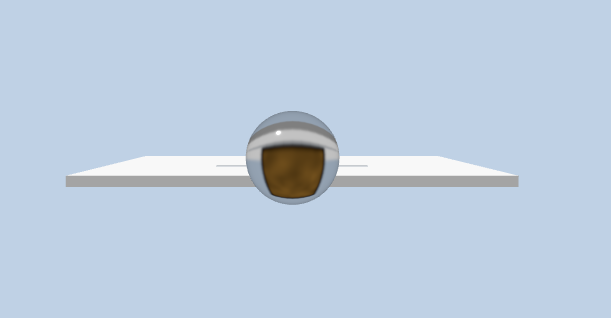
Thank you for your example. I tried the same properties. When the Geometry is Sphere, it works.When the Geometry is lens, it failed. You know why ?
Worked:
let len = new THREE.Mesh(
      new THREE.SphereGeometry(3, 32, 32),

      new THREE.MeshPhysicalMaterial({

        color: "white",

        transmission: 1,

        roughness: 0,

        metalness: 0.2,

        ior: 2,

        thickness: 10,

      })

    );
Failed:
const loader = new GLTFLoader().setPath(“models/”);
    loader.load("lens.gltf", async function (*gltf*) {

      const model = *gltf*.scene;

      *// wait until the model can be added to the scene without blocking due to shader compilation*


      await renderer.compileAsync(model, camera, scene);

      model.position.set(0, 2.5, 40);

      model.rotation.set(0, 0, 0);

      model.scale.set(2,2,2)

      scene.add(model);

      model.traverse((*child*) => {

        if (*child*.isMesh) {


          const lensMaterial = new THREE.MeshPhysicalMaterial({

            color: "white",

            transmission: 1,

            roughness: 0,

            metalness: 0.2,

            ior: 2,

            thickness: 2,

            *//transparent: true,*

            *//side: THREE.DoubleSide,*

          });

          *child*.material = lensMaterial;

        }

      });

    });

lens.gltf (59.1 KB)
Thank you for your help. You used MeshBasicMaterial and skyboxTexture in the example. My case is different. You can get my case from the above reply.
I think there is something wrong with the lens. When I make my own lens in Blender, it works fine. Because the curvature is small, I have to increase the thickness. So, with the same lens I can get normal and flipped image depending on the distance.
new THREE.MeshPhysicalMaterial({
		color: 'white',
		transmission: 1,
		roughness: 0,
		metalness: 0.2,
		ior: 1.5,
		thickness: 30,
	})
Here is a video:
Here is my lens file. The material is set from Three.js, not Blender (I’m a Blender noob).
lens.glb (139.4 KB)