
- Depends on how that line is created.
- Depends on how that shadows are created.
mesh.castShadow=false;

 if using shadow maps - but the shadows above look like ContactShadows a little, in which case
 castShadow probably won’t have much effect - the visibility of mesh would need to be toggled pre- and post- shadow plane rendering.
The default for mesh.castShadow is false, that didn’t fix it.
- The line is an unwanted artefact.
- light = new THREE.DirectionalLight();
light.position.set(1,15,1);
light.castShadow = true;
light.shadow.mapSize.width = 256;
light.shadow.mapSize.height = 256;
light.shadow.camera.near = 0.5;
light.shadow.camera.far = 25;
light.shadow.radius = 7;
light.shadow.blurSamples = 8;
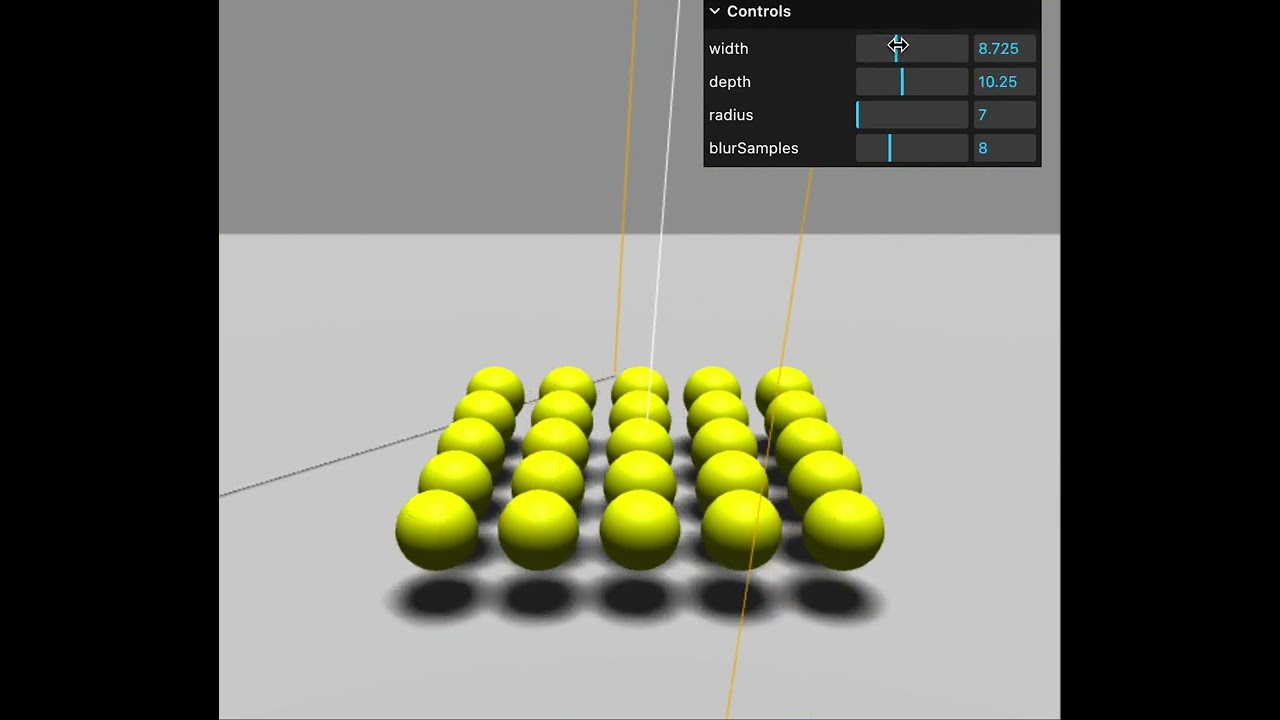
any chance you can share a live example?
light.shadow.bias=-0.001;
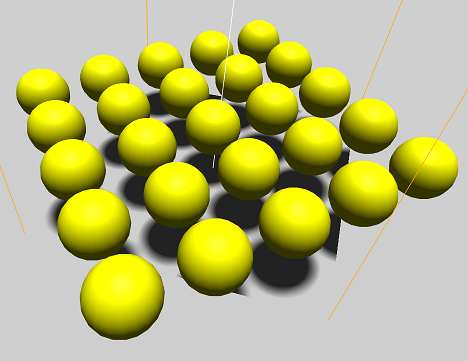
Genius. Works perfectly.
In that particular example, the bias solution worked ok because the balls are not touching the shadow surface. I you have a more complex shadow, and apply bias to remove the shadow map outline (which I think is a bug) it could push the object shadows too far back, like in this example:
With WebGPURenderer, here’s the patch I used to fix that example, removing any shadow around the edges of the shadow map area to avoid using bias tweaking as the solution:
			const originalSetupShadowFilter = THREE.ShadowNode.prototype.setupShadowFilter;

			THREE.ShadowNode.prototype.setupShadowFilter = function ( builder, inputs ) {

				// portion of shadow map UV space along edges to fade
				const fadePortion = 0.05;

				const base = originalSetupShadowFilter.call( this, builder, inputs );
				const uv = inputs.shadowCoord.xy;

				// Distance to nearest edge of the shadow UV box
				const edgeDist = min( min( uv.x, uv.x.oneMinus() ), min( uv.y, uv.y.oneMinus() ) );

				// Fade: 1 at the very edge, 0 inside (only if in a shadow)
				const fade = sub( 1, smoothstep( 0, fadePortion, edgeDist ) );
				return mix( base, 1, fade );

			};