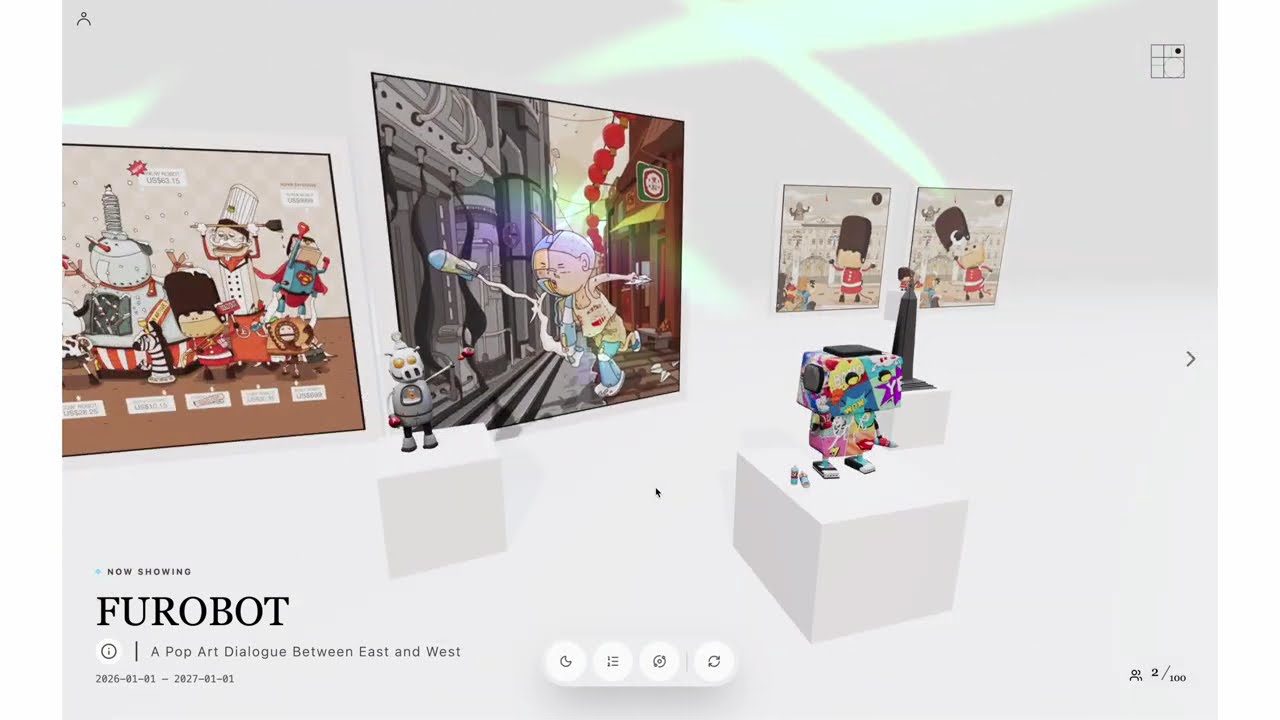
Hi everyone, I’ve been developing a side project with Three.js for quite a while now. While it is still in beta, I believe it is ready for a soft launch to gather professional feedback. www.kurodot.io
As a product designer who creates physical art pieces, I’ve found it incredibly challenging to connect with gallery venues or find the right physical space to showcase my work. This led me to experiment with technology to bridge the gap between virtual and physical exhibitions.
kurodot.io was born from this vision. Leveraging modern spatial computing, I can now showcase digital works and bring my physical sculptures into a high-fidelity virtual environment. More importantly, with Three.js, I can incorporate dynamic lighting, precise spatial arrangements, and data-driven effects that aren’t bound by reality.
After months of wrestling with various technologies—including Firestore, Google Authentication, Umami, and Pusher—I finally have a working prototype. If you are interested in spatial web development or have any insights on the industry, I would love to hear your feedback or discuss potential collaborations.
Thank you for checking it out!
4 Likes
Really nice work on this. The idea behind kurodot.io feels thoughtful and practical, especially for artists trying to connect physical pieces with digital spaces. The use of Three.js for dynamic lighting and spatial layout really fits the concept and makes the project feel more alive than a typical online portfolio. I like how you’re blending digital and physical curation in a way that feels purposeful, not just flashy tech. It’s also great to see a project that’s not only about visuals but actually solving a real problem for artists and exhibitions. The prototype already feels promising, and I’m curious to see how it evolves as more people try it and give feedback.
Yes, that is one of the great things about working in digital. You can showcase your work in whatever setting you want. You can even create a building to hold your collection and allow people to walk from room to room. Or you can simply transport them between settings with the push of a button.
Don’t forget the element of sound. Three.js allows you to use 3D sound. You can use this to enhance the beauty of the environment or to provide cues (subtle or otherwise) to users.