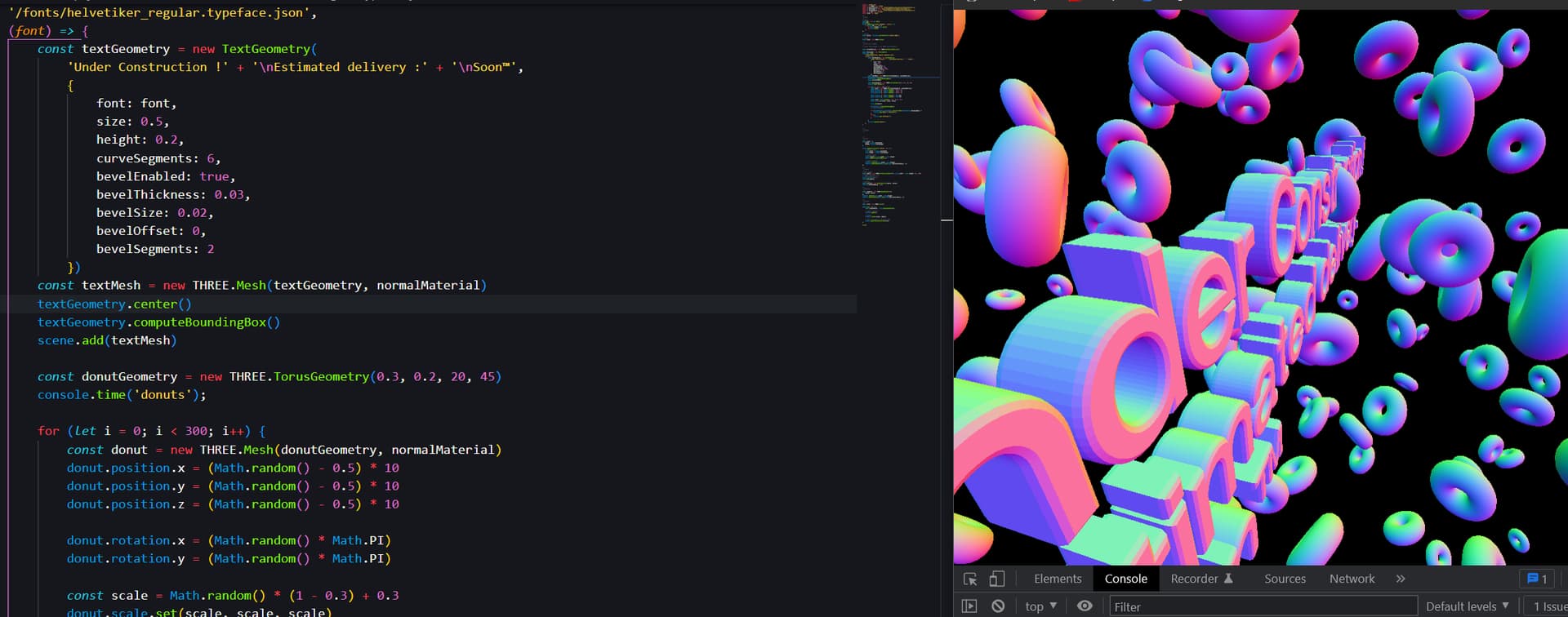
Hello, I’m having issue with this, could someone please tell me how can I get a smooth shading on the 3D text ?
I tried textMaterial.flatShading = false
but nothing works,
Help please !
From my guess it’s because of how the vertices are setup no? Perhaps they aren’t merged. Is there any solution you guys can think of, other than creating the geometry and materials in blender or massively subdividing?
How might I do so, please kind sir, i’m very new to all this.
I’m on my phone, I’ll test this and report back.
geometry.mergeVertices() and geometry.computeVertexNormals()
In some cases ( rendering, then manipulating vertex)
you may need to update the vertex + normals, for the shader to render the new values correctly. Not sure it’s effective in your case, give it a try.
I can confirm that recalculating normals will work in smoothing things out, if it’s about altering vertices - the terrain in my project looks much smoother when done via “manual” vertex altering and recomputing normals (as opposed to, say, a displacement map with a higher level of detail).
I guess the main question here is whether this is a case of adjusting the normals, or having more segments in the rounded parts of the shapes, since smoothing is an effect in the latter case too (something quite visible in the case of spheres).
Too bad Three.js’ atrocious level of backward compatibility with previous versions and ways of doing things prevents easy testing of a similar code, otherwise we’d already have an answer to that…
Sadly it didn’t worked, nothing of the previously advised solutions worked on the font.
I’m starting to think it’s just because of how the font is generated and can’t be bypassed other than creating the font properly in blender and exporting/loading.
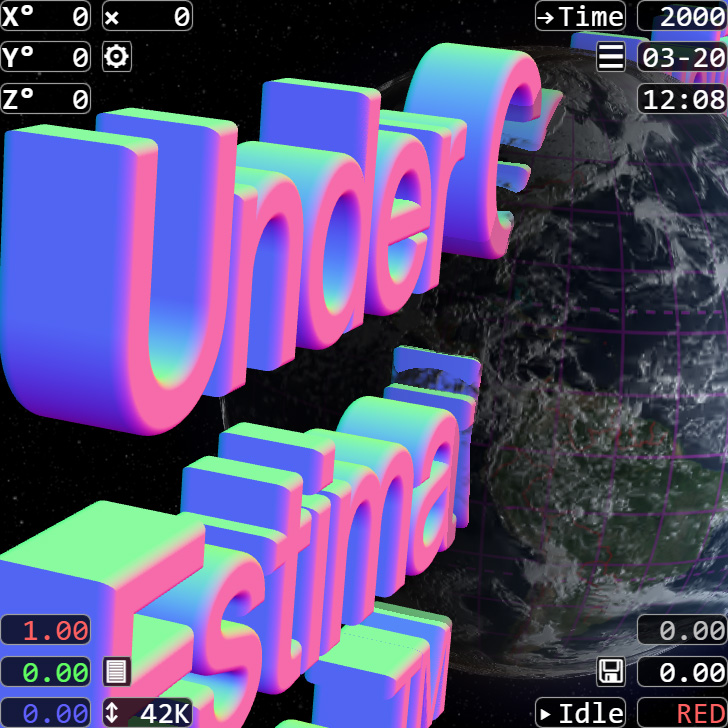
I just can’t believe that nothing worked, since it does for me (finally figured out how to use the font loader, I was mistakenly copying the wrong font loader file before and then wondered why the importing didn’t work), by increasing the number of curve segments as advised - here, I set them to 36 and also set the bevel segments to 20 to be consistent, and now the “d” shape is smooth like baby skin:
Sorry about the environment, that’s just my globe project in the background. Obviously, when increasing the number of segments of any shape, the CPU usage will rise accordingly - that’s just the price of having nice things in the scene.
Ah yes this works obviously, but as I said in the first message “other than massively subdividing?”, I’m trying to keep things lightweight, so disliked to add more polygons.
I was looking for a solution like in blender “shade smooth”, that works on something even low poly
Ahh, ok, read that but somehow missed it - my bad. Hmm… maybe some blurring can do the job then? Apart from iterating through and adjusting the position attribute followed by recomputing normals for the whole geometry, that is…
P.S. Altering the position attribute for a sphere is done like this (don’t know for the text though, it probably depends on its specific segments):
  var posidx, posval = new THREE.Vector3(), dirval = new THREE.Vector3(), disval;
  for (var j = 0; j < geometry.parameters.heightSegments + 1; j++)
  {
    for (var i = 0; i < geometry.parameters.widthSegments + 1; i++)
    {
      // ideally you'd only alter the positions in curved segments here
      posidx = (geometry.parameters.widthSegments + 1) * j + i;
      posval.fromBufferAttribute(geometry.attributes.position, posidx);
      dirval.fromBufferAttribute(geometry.attributes.normal, posidx);
      // the distance by which you alter vertices will depend here
      disval = 0;
      posval.addScaledVector(dirval, disval);
      geometry.attributes.position.setXYZ(posidx, posval.x, posval.y, posval.z);
    };
  };
  geometry.computeVertexNormals();
  geometry.attributes.position.needsUpdate = true;
If you can figure out a way to adjust vertices only for positions belonging to curved segments and in a way that follows some trigonometric function, something similar to this will probably do it. I’m not sure if simply adjusting vertices with a hardcoded value to trigger smoothing via recomputing normals will work, but you can try.
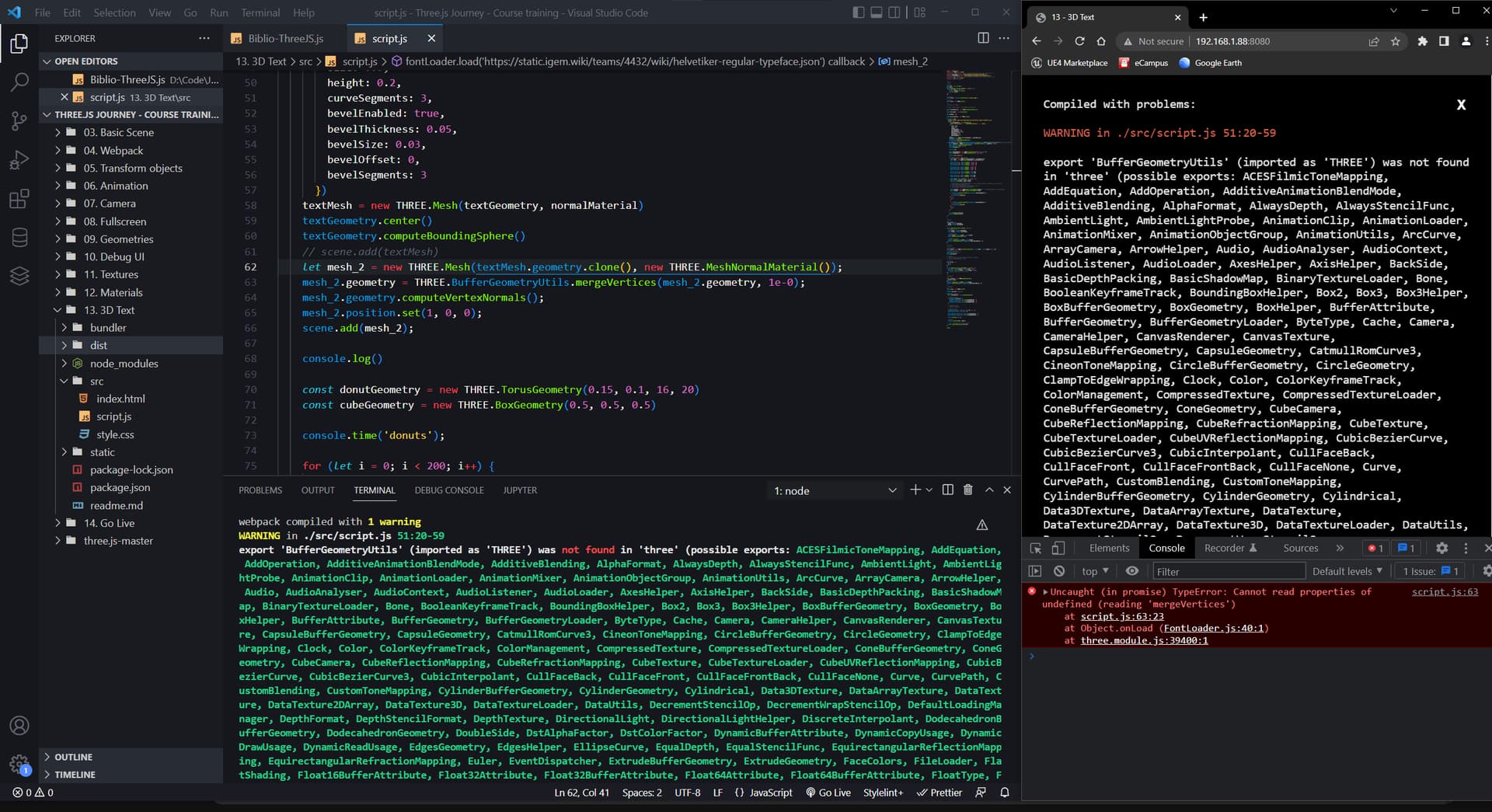
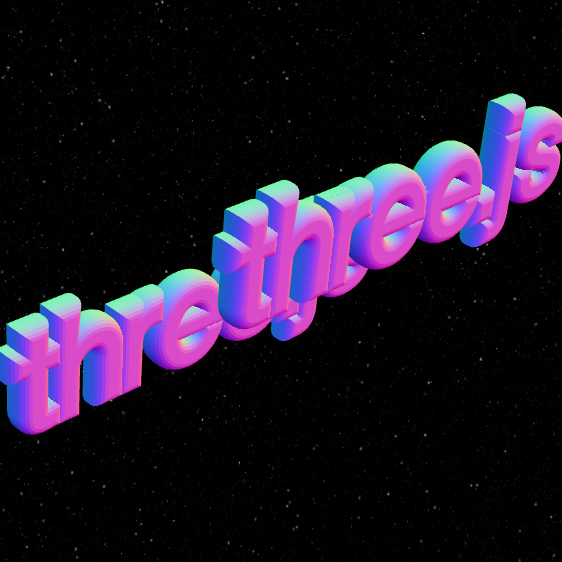
Thanks, yeah that worked, sadly as shown on the last picture, the vertice merging seems to have destroyed the geometry
I don’t understand how @Chaser_Code managed to have his nice result above with the text smoothed
I had a similar result as you did, after using @Chaser_Code’s code on your text and settings. Change the text to 'three.js' and its settings to the ones in the example here, and it will work (you’ll have to zoom out a bit though):