Cyberland: Rendering 3M+ Triangles & 50 Dynamic GLB Assets on Mobile WebGL via Custom Three.js Pipeline

Hi everyone!

I wanted to share a project we’ve been deeply working on called Cyberland. It is a fully dynamic, 100% interactable 3D ecosystem built entirely on top of Three.js.

Our primary engineering goal was brutal: achieve production-grade, AAA-like visual fidelity running flawlessly at locked high frame rates directly in mobile browsers (Safari/Chrome Mobile). To ensure broad accessibility, we heavily stress-tested the engine on hardware ranging from a base iPhone 11 (acting as our mid-tier performance baseline) up to an iPhone 13 Pro (for high-refresh-rate verification), achieving smooth, stable performance without a single browser crash or memory leak.

Here is a technical breakdown of how we structured our graphics pipeline, asset optimization, and post-processing to make this happen.

1. The Asset Pipeline & Scene Complexity

Instead of rendering a single static monolithic model, our environment is fully composable. A complete scene consists of:

  • 1 Base Land Plot: Uses a full set of high-fidelity 2K PBR material maps (BaseColor, Roughness, Metalness, Normal, and Emission).

  • Up to 49 Individual 3D MODs: High-poly modular assets equipped with 1K PBR maps that users can dynamically mount, unmount, or rearrange on the fly.

  • The Budget: At full load, the engine simultaneously renders 50 distinct GLB assets, totaling ~3 Million trianglesin a single active scene, paired with animated canvas-based UI layers.

2. Custom Tuning Stack & Post-Processing

Standard mobile WebGL pipelines often wash out deep metallic and dark materials into flat, grey plastic, while turning emissive neon channels into dead, opaque paint. To combat this, we bypassed default material limitations with a custom tuning stack built over Three.js:

  • Layer-Based Selective Bloom Isolation: Instead of relying on a performance-heavy glow threshold filter over the entire scene canvas, we isolate asset emission onto a dedicated render layer (mesh.layers.enable(1)). During the bloom pass, the engine completely bypasses global lighting and environment maps for these nodes. This ensures that dark metallic textures and heavy surfaces remain deep, clean, and un-blurred, while the neon lines and crystals breathe at full intensity.

  • Dynamic Pulse Animation: Integrated inside the useFrame loop, we animate the emissive channels dynamically: material.emissiveIntensity = baseIntensity * (1.0 + Math.sin(state.clock.elapsedTime * 0.8) * 0.15). This creates a living, breathing neon atmosphere with a strictly controlled 15% amplitude wave, iterating only through cached emissive materials to avoid heavy runtime scene traversal.

  • Mobile-Optimized Post-Processing: To avoid breaking the mobile memory budget, we avoided heavy standard pass chains and integrated a streamlined post-processing layout including a Custom Selective Bloom Pass, targeted Sharpening filters to counteract mobile canvas scaling blur, and highly calibrated Tone-Mapping alignment for deep blacks.

  • Procedural Void Clouds: The backdrop features animated, 6-octave purple void clouds. We spent weeks calibrating and optimizing the math to ensure it looks deeply volumetric while maintaining an extremely low processing footprint.

3. Extreme Memory Management & Instanced Hot-Swapping

Managing memory leaks on mobile Safari when dealing with dozens of un-instanced GLB files is a nightmare. Our engine handles rapid asset hot-swapping natively. Users can instantly switch between multiple fully equipped lands (each carrying 30–40 high-poly mods) seamlessly. The architecture aggressively manages garbage collection, geometry disposal, and texture unbinding, ensuring zero browser crashes or reloads during rapid scene transformations.

4. Under the Hood: Reactive State Engine (Web3 Integration)

To give these 3D graphics real-world utility, the entire backend is deployed natively as smart contract canisters on the Internet Computer Protocol (ICP) blockchain.

Each 3D mod carries a mathematical weight (baseBP). The exact millisecond an asset is mounted or unmounted in the 3D viewport:

  1. The custom engine pushes the state change to the blockchain.

  2. The smart canister instantly calculates complex staking and LiteDAO voting metrics on the fly.

  3. If an asset was listed on the integrated decentralized marketplace, an automated on-chain auto-delisting triggers instantly.

  4. The 3D environment reacts and re-renders the updated state within milliseconds.

By avoiding central oracles, we achieved a true zero-gas, sub-second reactive 3D ecosystem where graphics and blockchain states form a single loop.

Video Demonstrations & Comparisons:

Links & Resources:

We would love to hear your feedback, especially regarding mobile WebGL memory optimization hacks and advanced PBR tuning tricks under heavy scene loads!

1 Like

That’s interesting. It would be nice if they didn’t share the info on Twitter—you can only watch the video if you have access.

Otherwise, I don’t understand the point of the game. Is this a game where you collect things?

1 Like

I could not try it (as it asked to login), but I’m curious about the claim of rendering more than 3 million triangles. No human can see so many triangles on a mobile screen. You should be able to skip 90% of them and still get nice visuals. Rendering that much is just a waste of battery.

3 Likes

Glad you checked out the platform! Since Twitter requires a login to watch videos, here is a YouTube mirror instead:

To answer your question: it’s a fully on-chain 3D metaverse rather than a simple collecting game. The system programmatically arranges up to 49 different MODs on your land based on your assets for staking and crafting.

For a full breakdown of the mechanics, you can check out the Guide section directly on the website. Let me know what you think!

1 Like

Hi Pavel, thanks for the feedback! Here is the quick technical context behind our architectural choices:

  • Login: Strictly required to instantly generate your Web3 Principal ID and provision your random starter land. Takes 5 seconds via Face ID, Google, or Apple.

  • 3M Ceiling: This is the absolute worst-case limit only if a user fills almost all 49 modular asset slots simultaneously. Because the layouts are dynamic and programmatic, traditional LOD is tricky, so we enforce mesh.frustumCulled = true.

  • Dashboard vs. Game: It’s an on-chain metaverse hub for short asset-management sessions, not a multi-hour game grinder. Continuous battery drain isn’t our primary bottleneck.

  • AI & Fidelity: The 3D assets are generated via Tripo and Hunyuan AI. We optimized them down from 4.5M+ polygons, keeping the remaining budget high to preserve the topology for PCs and tablets, combined with max anisotropy and sharpening passes.

If you get a chance to log in via Face ID, let me know how the viewport smoothness feels on your device!

Three.js: Stress-test of dynamic runtime rendering — instant switching between 6 heavy biomes in a single canvas (mobile browser)

Hi!

I wanted to share the results of a stress test I built for my project. The video was recorded in a single take on a mobile browser — with no page reloads and without recreating the WebGL context.

What happens in the demo:

• Switching between 6 completely different biomes.

• Each biome consists of a heavy main GLB model with a full set of 2K PBR textures + 30–40+ additional modular GLB assets (1K).

• Total polygon count per scene: approximately 2.5 million triangles.

• Fully dynamic placement of modifiers (using the same asset pool, but with unique configuration and positioning in each biome).

• Inside the canvas background — a custom 6-octave procedural shader generating flying purple void nebula clouds.

• Complex UI overlay with numerous animated elements, pulsations, and a cosmic background.

• Active post-processing.

The most technically interesting parts:

• Complete dispose + rebuild of the entire scene (geometries, materials, textures, objects) plus custom post-processing passes, all done on the fly.

• No memory leaks or VRAM crashes throughout the entire test.

• Stable high FPS with no drops, even in the heaviest scene.

https://youtube.com/shorts/mHwpgf66g98?si=ODCq3bhRsSrIsBW8

:rocket: Public Land — Now Anyone Can View Someone Else’s Land in Live 3D Straight in a Mobile Browser

We have launched a new section — Public Land. This isn’t just a standalone feature; it’s the logical continuation of what we’ve been building all this time: a fully on-chain 3D ecosystem where each land plot is a composable NFT with 49 slots for modifiers, and each modifier is a distinct on-chain object.

The concept is simple: Now anyone can open someone else’s public land and view it in full 3D — featuring the exact same graphics and unique modifier layout as the owner sees it. Straight in a mobile browser. Zero compromises. :mobile_phone:

:globe_with_meridians: What is Public Land?

Each land plot in our ecosystem is a completely composable object. 3D modifiers can be placed or removed at any moment. This means the scenes are not static — they are live, dynamically reconstructed from the on-chain state in real time.

The owner decides whether their land is public or private — the toggle lives right on the land card, completely on-chain.

  • Public: It enters the Public Land section, and anyone can open it in 3D.

  • Private: No one but the owner can see it.

To keep the browsing experience clean, our backend enforces a strict filter: empty lands do not make it into Public Land. At least 1 out of 49 modifiers must be installed. This exact filter now applies in three distinct places:

  1. Public Land: The browsing section for exploring other users’ lands.

  2. Our Leaflet CyberMap: Interactive coordinate beams render only if the plot is public and contains at least one modifier.

  3. The Main Leaderboard: Plots enter the rankings under the exact same filtering conditions.

:eye: What the Visitor Sees

When you open another user’s public land, a second independent 3D canvas mounts. It loads the current on-chain state of that land and renders it exactly as it lives right now:

  • True 7×7 Layout: The exact same arrangement across 49 slots, unique per account, permanently stable.

  • Discrete On-Chain Objects: Every modifier is a separate GLB file with its own texture and material.

  • Atmospheric Shaders: The same background shader cloud coverage running a heavy 6 octaves of FBM loop.

  • Layered Post-Processing: The exact same visual stack is fully preserved.

If the owner removes a modifier, you see it disappear from the scene in real time. If they place a new one, it appears in the correct slot with the correct local rotation. For guests, the viewer is entirely read-only — no transactions, no changing modifiers, no mutations. Pure viewing. But the viewing experience is absolute, completely matching the owner’s perspective. Interactive likes can be cast directly inside this new Public 3D Viewer! :heart:

:bar_chart: Technical Specs Per Scene

A fully maxed-out land features 49 out of 49 modifiers. That means one base biome landscape (full PBR, 2K textures, custom biome-specific geometry) + up to 49 modifiers. Every modifier is a unique high-poly GLB with a 1K texture and its own material. No LODs, no impostors. On the contrary — we are squeezing the absolute maximum tuning out of what we have.

The Payload: We are maintaining ~3,000,000 triangles on screen, ~50 unique GLB draw calls, full PBR workflows, layered post-processing, and a live on-chain state for every object (weights, IDs, ownership, rarity tiers) read directly from the canister smart contract.

And all of this renders smoothly on a mid-range mobile phone, inside Safari, at a stable FPS.

:brain: Two WebGL Canvases in One App

This was the hardest part of the engineering process. We built two independent 3D canvases — one for the owner’s personal dashboard and a second for viewing other users’ public lands — and made them safely coexist.

  • Open Public Viewer :right_arrow: A fresh 3D engine mounts, loads the external land data, and renders its current on-chain state.

  • Close Public Viewer :right_arrow: The engine unmounts completely, and your own personal canvas resumes smoothly without memory leaks or Context Lost crashes.

Keeping two WebGL contexts stable inside one mobile browser tab isn’t just a graphics rendering problem — it’s a scheduling problem. We are managing two heavy rendering timelines that absolutely cannot collide on the main thread.

:game_die: Deterministic Layout — But Not How You Think

Every modifier has a fixed slot on the land (49 slots, 7×7). However, the exact arrangement, rotation, and positioning of modifiers across the slots are unique per user account, permanently stable, and generated deterministically from the user’s on-chain identity.

  • Same Account :right_arrow: The exact same layout structure, always, on any device globally.

  • Different Account :right_arrow: A completely different structural layout.

There is no saved .json scene file. There is no pre-baked environment layout. The layout is derived mathematically, not downloaded. The 3D engine reads the blockchain transaction history and structurally pieces the world together from scratch.

:round_pushpin: Leaflet CyberMap Over WebGL

Directly on top of the 3D engine sits our interactive Leaflet map layer. Every land plot is represented by a vertical coordinate beam on the map. Click a beam :right_arrow: the map flies straight to it, opens a popup with live on-chain data (views, likes, modifier count, PWR multiplier), and from there, you can instantly jump into the full 3D viewer.

The complexity here is that Leaflet runs entirely on the main thread (DOM manipulation, projection recalculations every single frame during pan/zoom), and the R3F render loop does too. Having both in a single mobile application is a scheduling problem more than a rendering problem. We treat them as two timelines that must not collide on the main thread.

Note: The map remains a clean, high-performance navigational plane (no heavy 3D inside the map itself), and we will soon be adding a dedicated like counter directly onto the map beacons!

:shopping_cart: The Marketplace as the Core Entry Point

This is what we are absolutely proudest of. A listing card in the marketplace is no longer just a static “Buy” button. Every single card serves as an interactive portal splitting into three distinct modes:

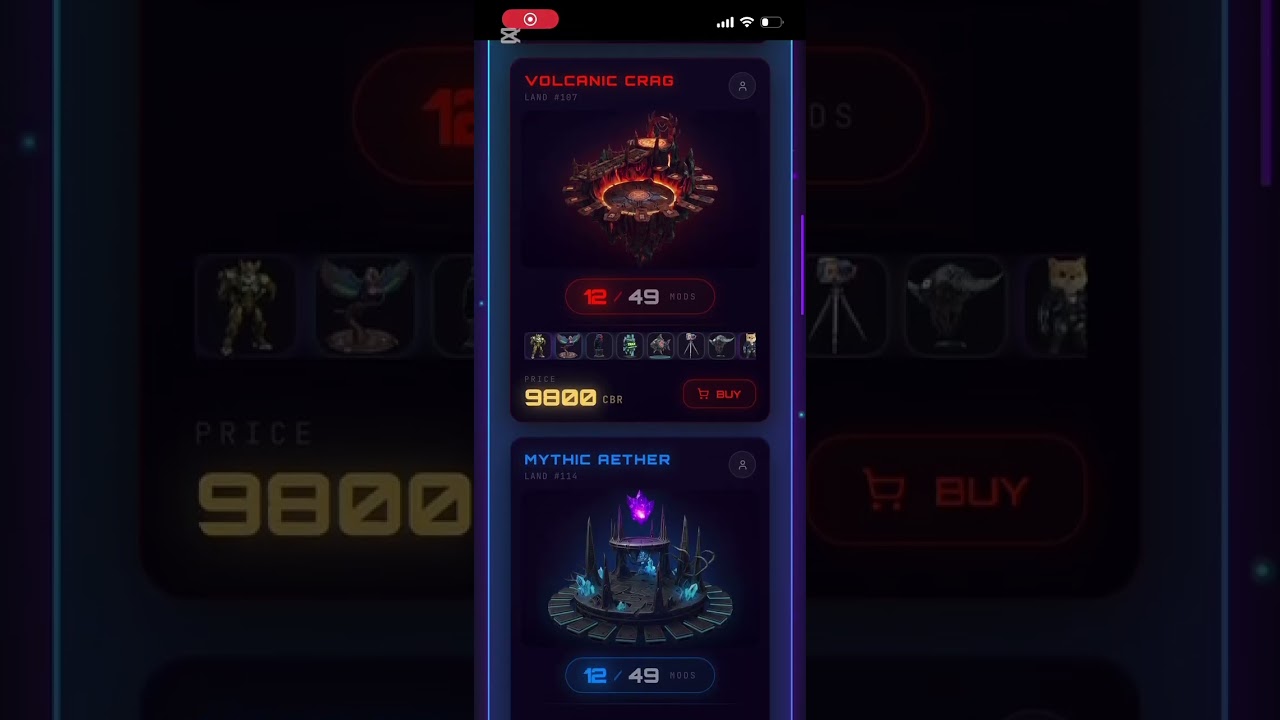
  1. Click Photo / Slot Counter (0/49): Instantly overlays a 7×7 DOM Inspector, revealing every equipped modifier as an independent on-chain object.

  2. Click 3D Button (Top-Left, color-coded to the biome): Mounts the public land viewer, rendering the land in live 3D WebGL.

  3. Click Map Button (Top-Right, color-coded to the biome): Opens the Leaflet map, flies straight to the land’s coordinate beam, and auto-opens the information popup.

Three fundamentally different context engines — DOM Inspector, R3F Canvas, and Leaflet Map — are all instantly accessible right from a single card UI without ever leaving the marketplace. On mobile. Rock stable.

:light_bulb: What We Learned

  • WebGL context lifecycles are much more flexible than documentation states — but only if you truly understand why the rules exist. We stopped trying to force the contexts to behave and started orchestrating exactly when they are allowed to run.

  • “Warming up the context” isn’t a simple one-liner. A single first-frame signal isn’t a true “ready” state. We had to figure out what actually constitutes a stable GL state allocation on a cold mobile GPU — and it’s completely different from what standard tutorials teach.

  • Two canvases is a scheduling problem, not a rendering problem. The second we stopped looking at it as “two renderers” and started designing it as “two timelines that must never collide on the main thread,” everything clicked.

  • Leaflet on top of two WebGL contexts is the exact same problem shifted one abstraction layer up. The map isn’t special; it’s just another main-thread consumer that has to harmoniously coexist with our graphics loops.

  • On-chain state as the source of geometry is a massive superpower, not a limitation. When the engine treats the blockchain ledger as the absolute source of truth, you stop fighting asset download pipelines and start fighting microsecond frame budgets — and that’s a battle you can actually win.

:clapper_board: See It In Action & Test It Live!

We recorded a quick walk-through natively on a mobile phone to demonstrate the seamless canvas switching, map transitions, and live 3D rendering performance under real conditions:

:television: Watch the Live Mobile Demo on YouTube

The build is completely live right now! The marketplace is fully open, and public lands are entirely browseable, filterable, and viewable in uncompromised 3D by anyone. Jump in, test it yourself, and explore what other players are building in real time!

:globe_showing_europe_africa: Launch the App & Explore Public Lands Here

TL;DR: Public Land is live. Anyone can now open someone else’s public land in full 3D right inside a mobile browser, experiencing the exact graphics and modifier setups as the owner. Composable NFTs, 49 slots, every modifier is a separate GLB with its own texture, ~3M triangles on maxed loads, two coexisting WebGL canvases, a Leaflet map overlaid, native on-chain likes in the cards, and a unified marketplace hub with 3D + map + inspector entry points. No LODs, no downgrades, running smoothly on mid-range smartphones.

We welcome your feedback and would love to answer any technical questions you have! Drop them in the thread below. :backhand_index_pointing_down:

What do I think? Technically very interesting, but boring in terms of gameplay. In the 3D view, nothing really happens except that the world rotates—there are no interactions.

1 Like

Thanks for the feedback! You’re totally right if you’re looking for a classic arcade or action game.

Cyberland is actually a Web3/GameFi ecosystem rather than a traditional game. The 3D view is essentially a live visualizer for a complex on-chain strategy.

Every item you see on that land is a composable NFT that the owner can attach or remove, dynamically changing its stats, crafting power, and weight on the blockchain. The actual gameplay revolves around economic strategy, deep crafting, and loot caches with honest on-chain PRNG—our 3D engine simply brings that live data to life.

1 Like

3M triangles on an iPhone 11 is honestly wild. What ended up being the real bottleneck — GPU or just memory churn with asset swaps?

1 Like

Honestly the bottleneck wasn’t the GPU or asset swaps — it was memory pressure from running two live WebGL canvases in one mobile browser at once. The 3M tris (full land + 49/49 high-poly PBR mods) render fine on the GPU itself.

The real pain was mounting a second independent context for the public viewer while keeping the owner dashboard canvas alive — both with full post-processing (UnrealBloom, sharpening, dithering, max anisotropy) plus a 6-octave shader generating volumetric purple clouds. Mobile GPUs choke on memory long before they choke on triangles.

We deliberately skipped LOD to squeeze maximum quality out of a single scene of 50 models total. Instead we tuned everything for mobile first — DPR capped at 1.2, mobile-tuned post passes — and went with WebGL tricks that don’t exist in any textbook, because the textbook paths just don’t hold up under two live contexts on a phone. We were always trying to outsmart WebGL, not follow its rules. Stable FPS held.

Video shows both canvases loaded near full — owner at 40/49, public viewer at 42/49, same browser, stable: https://youtube.com/shorts/Bul039b8yeM

Update: 3M triangles, 55 GLB assets, two live WebGL contexts in one mobile browser — where we landed

Following up on our earlier thread. We shipped the full thing and want to document where it landed — not asking for help, just sharing the data point for anyone pushing mobile WebGL this hard.

The budget per scene:

  • Land: 1 GLB, full PBR, 4 textures @ 2K
  • Mods: 49 total, packed into 5 mega-GLBs (15 mods per file), each mod high-poly with its own 1K texture = 55 textures @ 1K
  • Total: ~3M triangles, all loaded simultaneously, no LOD

The part we didn’t expect to ship: a second fully independent WebGL context in the same mobile browser tab. Not a pre-rendered snapshot — a real on-chain scene that mounts on click, reads live state for a different land, and rebuilds the exact modifier arrangement the owner sees. Two heavy contexts, coexisting.

Where it landed:

  • PC: not fully tested yet, but clearly fine.
  • Older iPad (older than iPhone 13): rock solid. Opens any public land, every time, no crash.
  • iPhone 11 / 13: mostly stable. Occasional context loss when the main canvas is fully loaded (49/49) and a public land opens on top. Next open always succeeds 100%.

We’re not looking for fixes — we’ve taken disposal, KTX2/Basis, texture limits, and memory cleanup as far as they go. This is a data point: two heavy WebGL contexts in one mobile browser is possible, it works on iPad, and on older iPhones it lives right at the memory ceiling. Sometimes it tips over. Then it recovers.

Posting this in case anyone else is attempting dual-context mobile WebGL at this triangle budget — the answer is "yes, mostly, and here’s where the wall is.