I am using GitHub - unconed/mathbox: Presentation-quality WebGL math graphing so not the latest threejs I have tried all I could find and think about but I cant do it… can someone show me how to make the orbitControl rotate around a different axis any solution advice would greatly be appreciated. Thanks
presuming you have something like this,
const controls = new OrbitControls(camera, renderer.domElement)
you can change the orbit controls target at anytime using something like this.
controls.target.set(1,2,3)
and then
‘controls.update()’ <---- This can be done in your render loop, some onchange event, or directly after you manually change the target.
The sudden change of target can be very abrupt, so it’s common to use some animation technique.
Here is an example,
The target is a Vector3. For more ways to change a Vector3 see Vector3
Thank you for the feed back but the orbitcontrol is still only rotating around the Y axis….
this.three = this.mb.three;
this.three.camera.position.set(0,3,0);
this.three.controls.target.set(0, 0, 0);
this.three.controls.update();
I need my camera (0,3,0); and to rotate on Z…
with OrbitControls you can set minAzimuthAngle and maxAzimuthAngle.
Example, rotates only on z axis by setting min & max azimuth to Math.PI / 2
or another way
this. is my set up from camera (0,0,3)
I can do a 360 around it with orbitcontrol

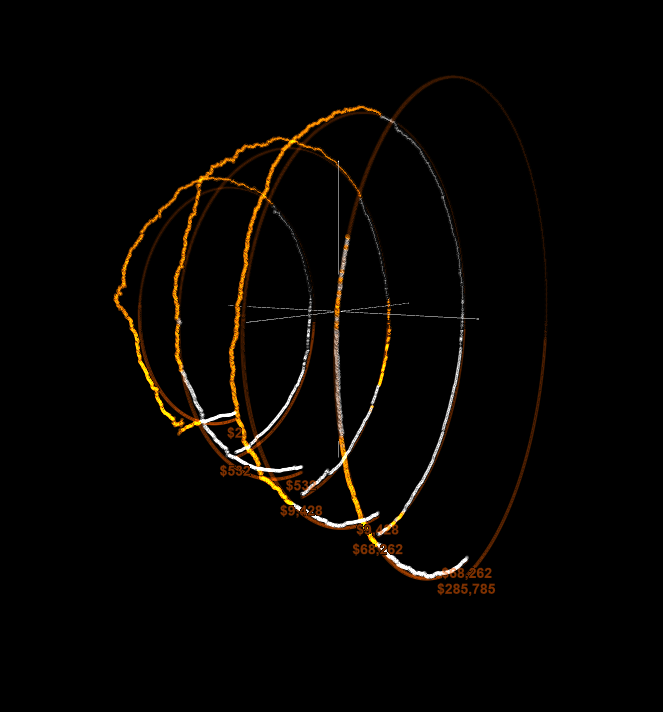
my issue is when I put the camera on (0,3,0)

I want to be able to rotate around it 360.
its true that your example rotates around the z axis but in my setup its not working

when I am using the mouse from left to right its not rotating the shapes around 360.
I am sorry if I am confusing you I got to say I am not good with all this rotations in 3D space I think I am still confused… Basicly this is what I am re-building…

click on the menu on the left to view the vortex interactive

Thank you for your help
I am not able to help.
but here is another exmple that doesn’t use orbit controls, but you can still orbit around the object to whatever angle you want and still toggle pitch and yaw rotations to be enabled or not.
or create an orbitControls that rotates on only 1 axis, then put your object in a group, and then set the groups lookAt to be one of
1,0,0
0,1,0
0,0,1
-1,0,0
0,-1,0
0,0,-1
a group is an Object3D
I will work on it some more tomorrow, Thanks a lot for your help 
I’m not sure I understand what you want to do, however, try this:
camera.position.set( 0, 3, 0 );  // camera position
camera.up.set( 0, 0, 1 );        // camera rotation axis
I did it doesn’t work…
So, either I failed to understand the issue, or you did something strange in your code. When I tried it, it worked fine – the blue axis is Z, and orbiting is around Z:
it could be that GitHub - unconed/mathbox: Presentation-quality WebGL math graphing OrbitControls didn’t implement that feature correctly… did you use the latest version of three in your example ? thanks for you feedback anyway but yes I did try that at first as apparently the OrbitControls was supposed to work from the up set of the camera
import {
  EventDispatcher,
  MOUSE,
  Quaternion,
  Spherical,
  TOUCH,
  Vector2,
  Vector3,
  Camera,
  Matrix4,
} from "three";

export class OrbitControls2 extends EventDispatcher {
  object: Camera;
  domElement: HTMLElement;

  enabled = true;
  target = new Vector3();
  minDistance = 0;
  maxDistance = Infinity;
  minZoom = 0;
  maxZoom = Infinity;
  minPolarAngle = 0;
  maxPolarAngle = Math.PI;
  minAzimuthAngle = -Infinity;
  maxAzimuthAngle = Infinity;
  enableDamping = false;
  dampingFactor = 0.05;
  enableZoom = true;
  zoomSpeed = 1.0;
  enableRotate = true;
  rotateSpeed = 1.0;
  enablePan = true;
  panSpeed = 1.0;
  screenSpacePanning = true;
  keyPanSpeed = 7.0;
  autoRotate = false;
  autoRotateSpeed = 2.0;
  enableKeys = true;
  keys = { LEFT: "ArrowLeft", UP: "ArrowUp", RIGHT: "ArrowRight", BOTTOM: "ArrowDown" };
  mouseButtons = { LEFT: MOUSE.ROTATE, MIDDLE: MOUSE.DOLLY, RIGHT: MOUSE.PAN };
  touches = { ONE: TOUCH.ROTATE, TWO: TOUCH.DOLLY_PAN };

  // internals
  private _spherical = new Spherical();
  private _sphericalDelta = new Spherical();
  private _scale = 1;
  private _panOffset = new Vector3();
  private _zoomChanged = false;

  private _rotateStart = new Vector2();
  private _rotateEnd = new Vector2();
  private _rotateDelta = new Vector2();

  private _panStart = new Vector2();
  private _panEnd = new Vector2();
  private _panDelta = new Vector2();

  private _dollyStart = new Vector2();
  private _dollyEnd = new Vector2();
  private _dollyDelta = new Vector2();

  private _state: "NONE" | "ROTATE" | "DOLLY" | "PAN" | "TOUCH_ROTATE" | "TOUCH_PAN" | "TOUCH_DOLLY_PAN" = "NONE";

  // Store current rotation angles for different coordinate systems
  private _currentTheta = 0;
  private _currentPhi = 0;

  constructor(object: Camera, domElement: HTMLElement) {
    super();
    this.object = object;
    this.domElement = domElement;

    // Initialize current angles based on camera position
    this._initializeAngles();

    this.domElement.addEventListener("contextmenu", this.onContextMenu);
    this.domElement.addEventListener("mousedown", this.onMouseDown);
    this.domElement.addEventListener("wheel", this.onMouseWheel, { passive: false });
    this.domElement.addEventListener("touchstart", this.onTouchStart, { passive: false });
    this.domElement.addEventListener("touchmove", this.onTouchMove, { passive: false });
    this.domElement.addEventListener("touchend", this.onTouchEnd);
    window.addEventListener("keydown", this.onKeyDown);
  }

  private _initializeAngles() {
    const offset = new Vector3().subVectors(this.object.position, this.target);
    const upVector = this.object.up.clone().normalize();

    if (upVector.equals(new Vector3(0, 0, 1))) {
      // Z-up system
      this._currentTheta = Math.atan2(offset.y, offset.x);
      this._currentPhi = Math.atan2(Math.sqrt(offset.x * offset.x + offset.y * offset.y), offset.z);
    } else {
      // Y-up system (default)
      this._spherical.setFromVector3(offset);
      this._currentTheta = this._spherical.theta;
      this._currentPhi = this._spherical.phi;
    }
  }

  // === CORE UPDATE ===
  update = () => {
    const position = this.object.position;
    const upVector = this.object.up.clone().normalize();
    const offset = new Vector3().subVectors(position, this.target);
    const radius = offset.length();

    // Apply auto-rotate
    if (this.autoRotate && this._state === "NONE") {
      this._sphericalDelta.theta -= (2 * Math.PI) / 60 / 60 * this.autoRotateSpeed;
    }

    // Update current angles with deltas
    this._currentTheta += this._sphericalDelta.theta;
    this._currentPhi += this._sphericalDelta.phi;

    // Clamp angles - prevent flipping by avoiding poles
    this._currentTheta = Math.max(this.minAzimuthAngle, Math.min(this.maxAzimuthAngle, this._currentTheta));

    // Prevent flip by ensuring phi never reaches 0 or PI (the poles)
    const epsilon = 0.000001;
    const clampedMinPolar = Math.max(this.minPolarAngle, epsilon);
    const clampedMaxPolar = Math.min(this.maxPolarAngle, Math.PI - epsilon);
    this._currentPhi = Math.max(clampedMinPolar, Math.min(clampedMaxPolar, this._currentPhi));

    // Apply zoom
    const newRadius = Math.max(this.minDistance, Math.min(this.maxDistance, radius * this._scale));

    if (upVector.equals(new Vector3(0, 0, 1))) {
      // Z-up coordinate system: theta rotates around Z, phi is angle from Z-axis
      const sinPhi = Math.sin(this._currentPhi);
      const cosPhi = Math.cos(this._currentPhi);

      position.x = this.target.x + newRadius * sinPhi * Math.cos(this._currentTheta);
      position.y = this.target.y + newRadius * sinPhi * Math.sin(this._currentTheta);
      position.z = this.target.z + newRadius * cosPhi;
    } else if (upVector.equals(new Vector3(0, 1, 0))) {
      // Y-up coordinate system (standard)
      const sinPhi = Math.sin(this._currentPhi);
      const cosPhi = Math.cos(this._currentPhi);

      position.x = this.target.x + newRadius * sinPhi * Math.sin(this._currentTheta);
      position.y = this.target.y + newRadius * cosPhi;
      position.z = this.target.z + newRadius * sinPhi * Math.cos(this._currentTheta);
    } else {
      // Other coordinate systems - use quaternion approach
      this._spherical.theta = this._currentTheta;
      this._spherical.phi = this._currentPhi;
      this._spherical.radius = newRadius;
      this._spherical.makeSafe();

      const quat = new Quaternion().setFromUnitVectors(new Vector3(0, 1, 0), upVector);
      const quatInverse = quat.clone().invert();

      offset.setFromSpherical(this._spherical);
      offset.applyQuaternion(quat);
      position.copy(this.target).add(offset);
    }

    this.object.lookAt(this.target);

    // Apply damping or reset deltas
    if (this.enableDamping) {
      this._sphericalDelta.theta *= 1 - this.dampingFactor;
      this._sphericalDelta.phi *= 1 - this.dampingFactor;
    } else {
      this._sphericalDelta.set(0, 0, 0);
    }

    // Reset scale and pan offset
    this._scale = 1;
    this._panOffset.set(0, 0, 0);

    this.dispatchEvent({ type: "change" });
    return true;
  };

  // === Event Handlers ===
  private onContextMenu = (event: MouseEvent) => { event.preventDefault(); };

  private onMouseDown = (event: MouseEvent) => {
    if (!this.enabled) return;
    event.preventDefault();

    switch (event.button) {
      case 0: if (this.mouseButtons.LEFT === MOUSE.ROTATE) this.handleMouseDownRotate(event); break;
      case 1: if (this.mouseButtons.MIDDLE === MOUSE.DOLLY) this.handleMouseDownDolly(event); break;
      case 2: if (this.mouseButtons.RIGHT === MOUSE.PAN) this.handleMouseDownPan(event); break;
    }
    document.addEventListener("mousemove", this.onMouseMove);
    document.addEventListener("mouseup", this.onMouseUp);
  };

  private onMouseMove = (event: MouseEvent) => {
    if (!this.enabled) return;
    event.preventDefault();
    switch (this._state) {
      case "ROTATE": this.handleMouseMoveRotate(event); break;
      case "DOLLY": this.handleMouseMoveDolly(event); break;
      case "PAN": this.handleMouseMovePan(event); break;
    }
  };

  private onMouseUp = () => {
    document.removeEventListener("mousemove", this.onMouseMove);
    document.removeEventListener("mouseup", this.onMouseUp);
    this._state = "NONE";
  };

  private onMouseWheel = (event: WheelEvent) => {
    if (!this.enabled || !this.enableZoom || this._state !== "NONE") return;
    event.preventDefault();
    event.stopPropagation();
    if (event.deltaY < 0) this.dollyOut(this.getZoomScale());
    else if (event.deltaY > 0) this.dollyIn(this.getZoomScale());
    this.update();
  };

  private onKeyDown = (event: KeyboardEvent) => {
    if (!this.enabled || !this.enableKeys) return;
    switch (event.code) {
      case this.keys.UP: this.pan(0, this.keyPanSpeed); break;
      case this.keys.BOTTOM: this.pan(0, -this.keyPanSpeed); break;
      case this.keys.LEFT: this.pan(this.keyPanSpeed, 0); break;
      case this.keys.RIGHT: this.pan(-this.keyPanSpeed, 0); break;
    }
    this.update();
  };

  private onTouchStart = (event: TouchEvent) => {
    if (!this.enabled) return;
    switch (event.touches.length) {
      case 1: this._state = "TOUCH_ROTATE"; this._rotateStart.set(event.touches[0].pageX, event.touches[0].pageY); break;
      case 2: this._state = "TOUCH_DOLLY_PAN"; this.handleTouchStartDollyPan(event); break;
    }
  };

  private onTouchMove = (event: TouchEvent) => {
    if (!this.enabled) return;
    event.preventDefault();
    switch (this._state) {
      case "TOUCH_ROTATE": this.handleTouchMoveRotate(event); break;
      case "TOUCH_DOLLY_PAN": this.handleTouchMoveDollyPan(event); break;
    }
  };

  private onTouchEnd = () => { this._state = "NONE"; };

  // === Helpers ===
  private getZoomScale() { return Math.pow(0.95, this.zoomSpeed); }

  private dollyIn(dollyScale: number) { this._scale /= dollyScale; }
  private dollyOut(dollyScale: number) { this._scale *= dollyScale; }

  private pan(deltaX: number, deltaY: number) {
    const offset = new Vector3();
    const element = this.domElement;
    const position = this.object.position;
    offset.copy(position).sub(this.target);
    let targetDistance = offset.length();
    targetDistance *= Math.tan(((this.object as any).fov / 2) * Math.PI / 180.0);

    // Get the camera's right and up vectors for proper panning
    const cameraUp = this.object.up.clone().normalize();
    const cameraRight = new Vector3().crossVectors(
      new Vector3().subVectors(this.target, position).normalize(),
      cameraUp
    ).normalize();

    const panOffsetRight = cameraRight.clone().multiplyScalar(
      -2 * deltaX * targetDistance / element.clientHeight
    );
    const panOffsetUp = cameraUp.clone().multiplyScalar(
      2 * deltaY * targetDistance / element.clientHeight
    );

    this._panOffset.copy(panOffsetRight).add(panOffsetUp);
    this.target.add(this._panOffset);
  }

  private handleMouseDownRotate(event: MouseEvent) {
    this._rotateStart.set(event.clientX, event.clientY);
    this._state = "ROTATE";
  }
  private handleMouseDownDolly(event: MouseEvent) {
    this._dollyStart.set(event.clientX, event.clientY);
    this._state = "DOLLY";
  }
  private handleMouseDownPan(event: MouseEvent) {
    this._panStart.set(event.clientX, event.clientY);
    this._state = "PAN";
  }

  private handleMouseMoveRotate(event: MouseEvent) {
    this._rotateEnd.set(event.clientX, event.clientY);
    this._rotateDelta.subVectors(this._rotateEnd, this._rotateStart).multiplyScalar(this.rotateSpeed);
    const element = this.domElement;

    // Use consistent scaling for both coordinate systems
    this._sphericalDelta.theta -= (2 * Math.PI * this._rotateDelta.x / element.clientHeight);
    this._sphericalDelta.phi -= (2 * Math.PI * this._rotateDelta.y / element.clientHeight);

    this._rotateStart.copy(this._rotateEnd);
    this.update();
  }

  private handleMouseMoveDolly(event: MouseEvent) {
    this._dollyEnd.set(event.clientX, event.clientY);
    this._dollyDelta.subVectors(this._dollyEnd, this._dollyStart);
    if (this._dollyDelta.y > 0) this.dollyIn(this.getZoomScale());
    else if (this._dollyDelta.y < 0) this.dollyOut(this.getZoomScale());
    this._dollyStart.copy(this._dollyEnd);
    this.update();
  }

  private handleMouseMovePan(event: MouseEvent) {
    this._panEnd.set(event.clientX, event.clientY);
    this._panDelta.subVectors(this._panEnd, this._panStart).multiplyScalar(this.panSpeed);
    this.pan(this._panDelta.x, this._panDelta.y);
    this._panStart.copy(this._panEnd);
    this.update();
  }

  private handleTouchStartDollyPan(event: TouchEvent) {
    const dx = event.touches[0].pageX - event.touches[1].pageX;
    const dy = event.touches[0].pageY - event.touches[1].pageY;
    const distance = Math.sqrt(dx * dx + dy * dy);
    this._dollyStart.set(0, distance);
    const x = (event.touches[0].pageX + event.touches[1].pageX) / 2;
    const y = (event.touches[0].pageY + event.touches[1].pageY) / 2;
    this._panStart.set(x, y);
  }

  private handleTouchMoveRotate(event: TouchEvent) {
    this._rotateEnd.set(event.touches[0].pageX, event.touches[0].pageY);
    this._rotateDelta.subVectors(this._rotateEnd, this._rotateStart).multiplyScalar(this.rotateSpeed);
    const element = this.domElement;

    // Use consistent scaling for both coordinate systems
    this._sphericalDelta.theta -= (2 * Math.PI * this._rotateDelta.x / element.clientHeight);
    this._sphericalDelta.phi -= (2 * Math.PI * this._rotateDelta.y / element.clientHeight);

    this._rotateStart.copy(this._rotateEnd);
    this.update();
  }

  private handleTouchMoveDollyPan(event: TouchEvent) {
    const dx = event.touches[0].pageX - event.touches[1].pageX;
    const dy = event.touches[0].pageY - event.touches[1].pageY;
    const distance = Math.sqrt(dx * dx + dy * dy);
    this._dollyEnd.set(0, distance);
    this._dollyDelta.subVectors(this._dollyEnd, this._dollyStart);
    if (this._dollyDelta.y > 0) this.dollyOut(this.getZoomScale());
    else if (this._dollyDelta.y < 0) this.dollyIn(this.getZoomScale());
    this._dollyStart.copy(this._dollyEnd);

    const x = (event.touches[0].pageX + event.touches[1].pageX) / 2;
    const y = (event.touches[0].pageY + event.touches[1].pageY) / 2;
    this._panEnd.set(x, y);
    this._panDelta.subVectors(this._panEnd, this._panStart);
    this.pan(this._panDelta.x, this._panDelta.y);
    this._panStart.copy(this._panEnd);

    this.update();
  }

  dispose() {
    this.domElement.removeEventListener("contextmenu", this.onContextMenu);
    this.domElement.removeEventListener("mousedown", this.onMouseDown);
    this.domElement.removeEventListener("wheel", this.onMouseWheel);
    this.domElement.removeEventListener("touchstart", this.onTouchStart);
    this.domElement.removeEventListener("touchmove", this.onTouchMove);
    this.domElement.removeEventListener("touchend", this.onTouchEnd);
    window.removeEventListener("keydown", this.onKeyDown);
  }
}