The same as @PavelBoytchev has suggested with the plane, I guess you’d have to float the light x units above the intersection point of a ray from the plane to the terrain  this or a decal, I can imagine both are more expensive than a plane with a texture…

Excuse the crude illustration but to give an idea…
let shadowDirection = Vector3().subVectors(airplane.position, sun.position).normalize()
ray.set(sun.position, shadowDirection)
spotlight.position.copy(intersects[0].point).add(shadowDirection.multiplyScalar(maxRadialFalloff))
spotlight.target.copy(intersects[0].point)
it’s not quite setup right ( the position of the light is fixed here and would actually need to rise and sink with it’s projected position on to the terrain to work as expected…) but here’s a basic demo of the concept…
https://codepen.io/forerunrun/full/YzodRdd

 you’re correct here, from implementing the above demo i can now see your point…
 Spotlight would kind of need to be rewritten or extended as OrthographicSpotlight maybe
EDIT: or I’m confusing myself and the entry sentence above the codepen example (offsetting light position distance to terrain) may work 
EDIT 2: @phil_crowther I’ve updated the above pen with the suggested projected offset calculation however this may not be a viable option either way based on your needs…
EDIT 3: the spotLight.map.rotation would need to also be calculated with this suggestion as the image is always facing towards the direction the light is pointing… @Mugen87 is it a known limitation that the spotLight.map cannot be rotated the same as typical textures? there seems to be a similar thread to this question here… Spotlight.map rotation
3 Likes
Just for fun, I put together this usage comparison. This seems to indicate that r168 is having big problems with shadows. I assume we can chalk this up to “growing pains” and that it will be fixed shortly.

EDIT:
Looking closer, it appears that the r168 CPU usage difference for the biggest mapSize is also significant. This disappears with the smaller mapSize, but the GPU usage increases slightly.
2 Likes
This is amazing! I had no idea you could do that kind of thing.
I may not be able to use it for purposes of creating shadows, but raycasting is an area I have not explored yet. So this opens up a lot of possibilities in other areas.
Thanks for posting this!
2 Likes
From looking at the two WebGPU shadowmap examples and from my tests, it appears that most renderer-level shadow commands are no longer used with WebGPU. For example, it appears that I no longer need to use the following commands:
renderer.shadowMap.enabled = true; // Setting to false has no effect
renderer.shadowMap.autoUpdate = true; // (Default?) Now used at light-level?
renderer.receiveShadow = true; // This seems like an Object-level command
Commands setting the type of shadow may still be appropriate, such as:
renderer.shadowMap.type = THREE.BasicShadowMap;
Do you know if this is correct?
Do NodeMaterials require special handling?
These changes do not appear to have any impact on the r168 issues, but it would be nice to know.
1 Like
Ah there are the shadows; I didn’t notice them until I got closer to water. To me both demos seem the same:
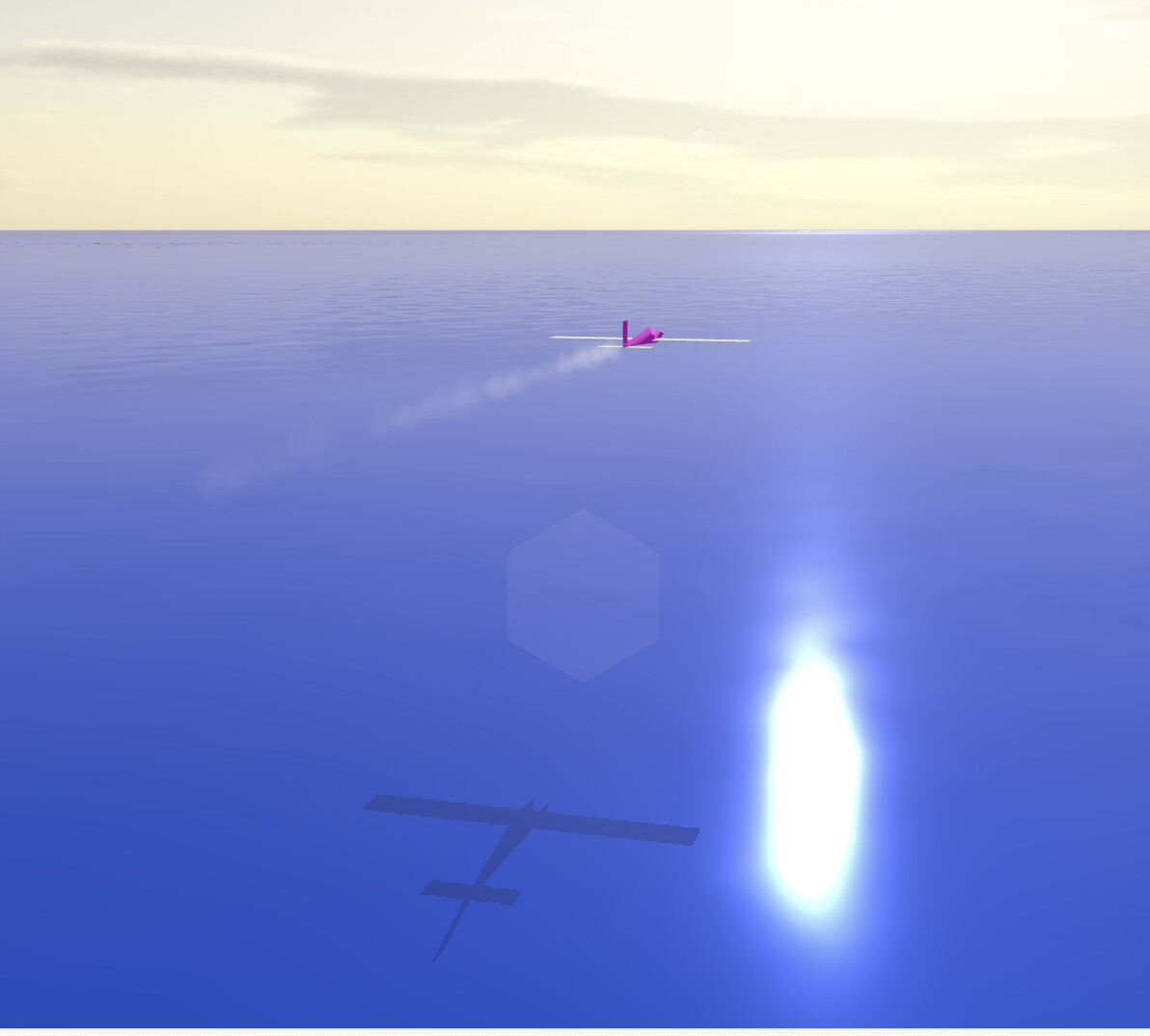

Cool, can’t wait to see how it progresses with mountains, and collisions (explode when hitting the ground? :D)
2 Likes
Something is wrong with that first picture since it appears that the animated waves are not showing. In the second picture they are. I have much more complex demos, including this flight simulation demo. (Press “I” for instructions.) There are mountains and a smoking volcano. No spectacular collisions, yet.
Ahh yes, projecting the shadowMap boundingBox to its maximal / minimal distance from a surface is buzz!!
1 Like
Or if your computer will not handle animated oceans, here is a land-based version (r168) that uses shadows (just updated). The shadows behave a bit odd when you land, but that was a problem before r168.
BTW - I have not really decided whether I should be casting shadows on the ocean. It would be okay if there is a lot of particulate in the water. But for clean water, it could be that only reflections are appropriate. I still have to study this a bit more.
PS - Getting that new GPU today!
PPS - And it made no difference. 
For reference, my old GPU was an NVIDIA GeForce GTX 1060 3GB and my new one is an Nvidia GeForce RTX 4070 Super.
With the new GPU, there are still places where my ocean-based simulation (linked in my preceding message) runs at 45fps and still has the GPU “spikes”. However, if I revert back to r167 (which requires only a few changes relating to rotateUV), it is a solid 60fps and no GPU spikes. So I will use the r167 version on my repo and hope that r169 is better … 
1 Like
Ha, was I right? The card you had was already overkill for web, now it’s many times the overkill 
Question, what is in 168 that warrants an update?
1 Like
In my case, just things involving rotateUV, which I use it in my WebGPU smoke emitters - like jet exhaust, ship wake and volcano smoke.
Or perhaps I should have gone with AMD? The person who was getting 120fps on my original r168 program (only making the changes to rotateUV above) was using an AMD Radeon RX 7900 XTX. My understanding is that NVIDIA tends to have better ray-tracing while the AMD excels in other areas.
The good news is that the fact that the r168 problems are also affecting new NVIDIAs should make it easier to track down.
Another challenge I am having is getting the bias to work right. But even when I get decent outside shadows, my cockpit shadows are not yet as great as they were in WebGL2.
I think you can also put multiple gpus and wire them together. I used to have two nvidia in SLI.
Another avenue though could be to see some game from 10-20 years ago and see how they did the rotating smoke particles.
Two GPUs - that would be interesting.
My smoke emitters are perfect. They are based on the three.js WebGPU particles example - which is one of the reasons I wanted to switch to WebGPU. Somehow I have successfully modified them so that they do not disappear when the origin goes offscreen. Here is my smokin’ volcano.
1 Like
FrustrumCulled?
Yes, I believe frustrum culling is the three.js default for particle emitters, i.e., the particles will disappear if the origin goes offscreen - like in the three.js example. I saw many online discussions indicating that it was difficult to prevent this from happening. But thanks to some combination of changes that I made (done mainly to make the smoke look better), there is no more frustrum culling. (I discovered this by accident when I realized that the ship wake that I had created was not disappearing when I flew past the ship. So I used that emitter as the template for the volcano smoke, etc.) I am hoping that future changes to three.js will not take this away.
1 Like
frustum* 
2 Likes
Yep, that’s one I’ve gotten wrong more than once.
Thanks.
1 Like