Hi there, I don’t think you can apply textures to a LineDashedMaterial, it doesn’t have the map option: I think you can achieve the dashed pattern using a MeshBasicMaterial with the alphaMap, so you can have transparent and texture repeated.
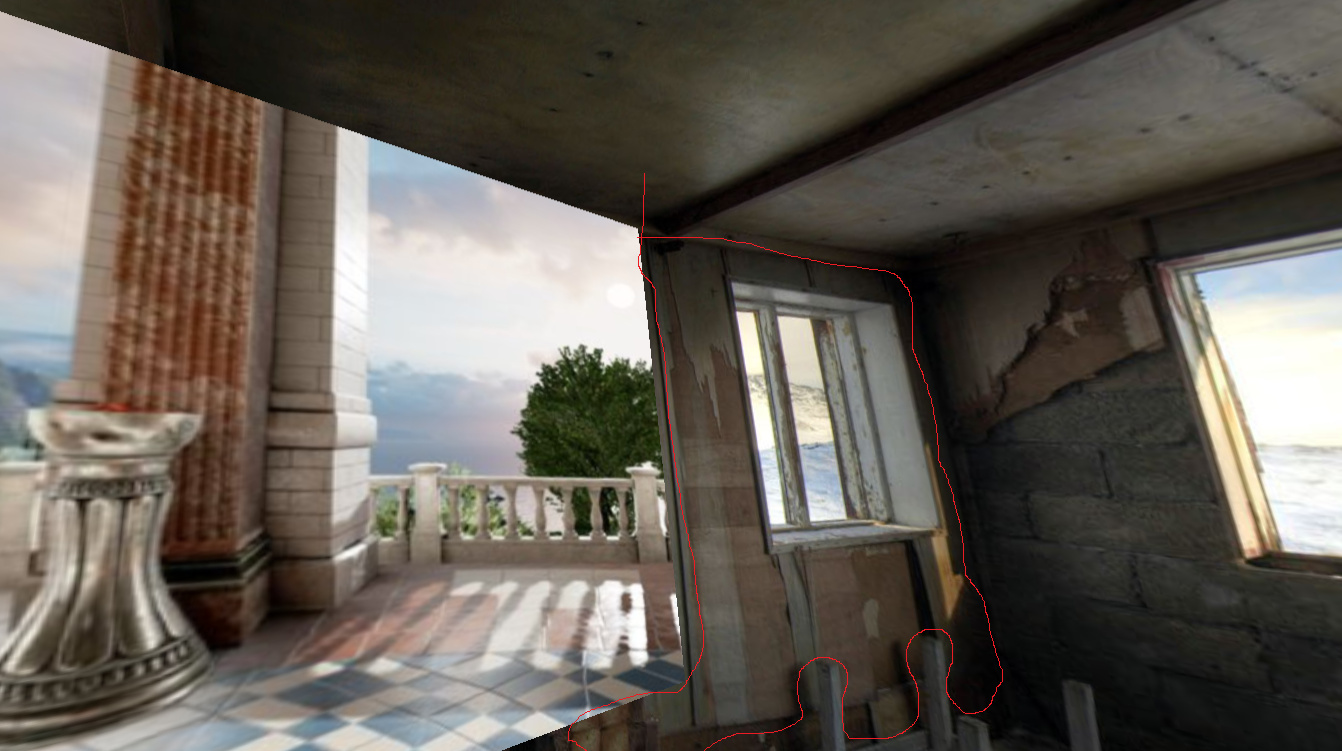
Here is my target. I need to merge 2 scenes perfectly.
The goal is to give illusion a wall can be removed and its can be replaced by another scene (part of a gaming program)
At the beginning I used planeGeometry and try to load scene inside , everything works well for the loading process, but as you can see the scene can not be merged perfectly.
It’s why i used your link given (https://threejs.org/examples/#webgl_geometry_shapes) in second step, especially the california shape , but the california[] array point is very difficult to use + multiscalar function . Then it’s very difficult to build a custom shape that will be the perfect image of my wall to replace the scene behind. It’s very impossible to target the vector point that represent coordinate points of the corner of my wall and build a new shape.
Then I used the lineDashedMaterial which is very easy to custom a shape, in third step, but it’s not possible to load scene in.