Hello Three.js community — I’ve built a character controller based on three-mesh-bvh. It includes walking, running, jumping, and flying, and supports switching between first-person and third-person views for an immersive 3D experience. You’re welcome to try the demo online and share any feedback or suggestions.
My personal preference is to use the mouse to control the character/vehicle. Use the mousewheel to change speed and the mouse to control rotation (left/right, up/down).
You use some of that when the character is flying (left/right, up/down), but not on the ground. Can I suggest that you also make partial mouse control (left/right) an option when on the ground?
I tried the same map from your repo on my three.js + cannon.js, and I find your character controller much faster and smoother, I think I will be using your repo if its ok, and I love flying around overseeing the landscape, perfect for urban design showcasing to view cityscape from above.
thanks so much for your permission, your work would make three.js virtual experience will become even more faster with your character controller methods ;-).
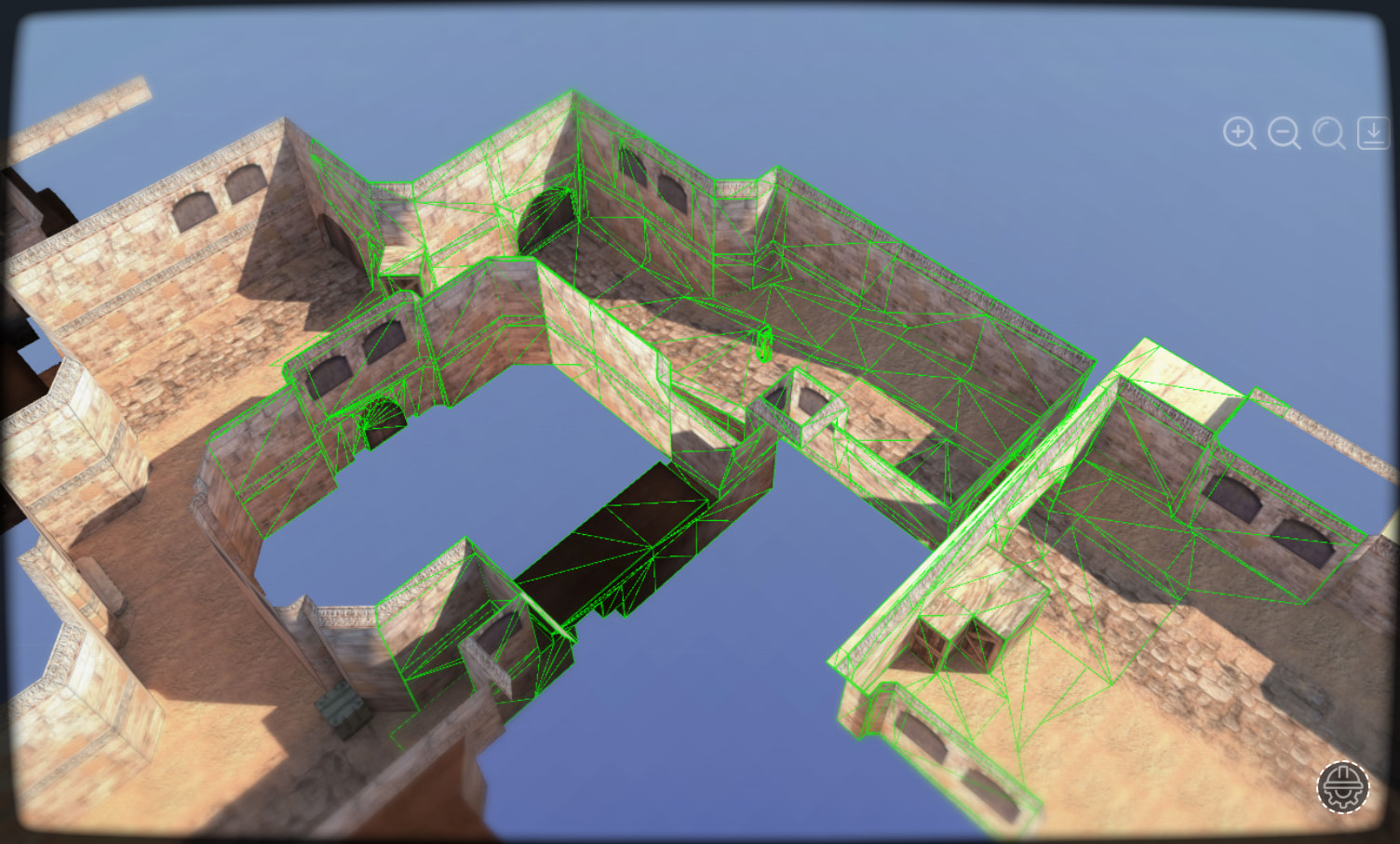
I have dissected your character controller and applied it to cannon.js creating a localized collider geometries. I never thought of this would be the solution to the large scale environment now the physics is localized to the player where the player interact with environment ray casting only the mash close close to the player.
Thanks so much @hh-hang this really revolutionized three.js virtual experience.
cannon does all the physics, what’s happening now is the cannon debug render shows the active body where u see green wireframe, as the character moves the characters gets near to a new sets of geometries or bodies then they become active and the geometries which the player gets far from gets removed, the optimizations happens as the player walks when browser is idle i set it to every 3 seconds distance radius of 15m, for a vehicle i will set it to 40 or 60 because vehicle moves faster than payer walking.
looking forwaed to play your three.js games, just keep exploring u will find lots of tips and tutorials, i learn here too by combining tips and tutorials, three.js has lot of potentials and only the tip of the iceberge has been explored, we need more aspiring devs like u and me also i keep learning new things, i keep the journey alive. almost all things i created are all by accident, and thats what makes it fun the adventure.
I’m glad everyone’s interested in this plugin. I combined some suggestions and released another update that now supports mobile. Quick update: added two options: isShowMobileControls (default true) to enable or disable automatic creation of virtual joysticks and buttons on touch devices, and thirdMouseMode (default 1, values 0|1|2|3) to control cursor visibility and whether mouse movement/drag affects the camera and/or character in third-person. I’m happy to hear ideas and suggestions. I’ll keep improving the plugin. Thanks.
Nice update! I’ve been having a lot of fun just flying around with it. It’s honestly a great stress reliever The controls feel really smooth and it makes everything enjoyable. It would be cool to have more maps to explore in the future. Really liking where this plugin is going, keep it up!
I will be following your work, here is a cloned character controller from your repo, where I used ray casting mesh for cannon physics allowing cannon to be even more efficient aside from the over driven cannon steps for both desktop and mobile, I will also implement the same methods on rapier and ammo when I have time.
Yes, the frame drops are caused by Cannon.js. I really like the idea of creating a metaverse-like experience, but physics can get heavy. I haven’t tried other libraries yet, but I’m planning to experiment with Rapier, Ammo.js, PhysX, Oimo.js, Verb.js, and any other physics engines I can find on GitHub to see if they perform better. For reference, here’s the Three.js + Cannon setup I’m using: https://github.com/VeinSyct/ThreeJsCannon




 The controls feel really smooth and it makes everything enjoyable. It would be cool to have more maps to explore in the future. Really liking where this plugin is going, keep it up!