# HDRI background position
**URL:** https://discourse.threejs.org/t/hdri-background-position/13602
**Category:** Questions
**Tags:** hdr-cube-map
**Created:** [March 18, 2020, 2:32pm UTC](https://discourse.threejs.org/t/hdri-background-position/13602 "2020-03-18T14:32:59Z")
**Posts on this page:** 11
**Page:** 1
### Author:  [@ahmafi](https://discourse.threejs.org/u/ahmafi)
#### Post date: [March 18, 2020, 2:32pm UTC](https://discourse.threejs.org/t/hdri-background-position/13602/1 "2020-03-18T14:32:59Z")
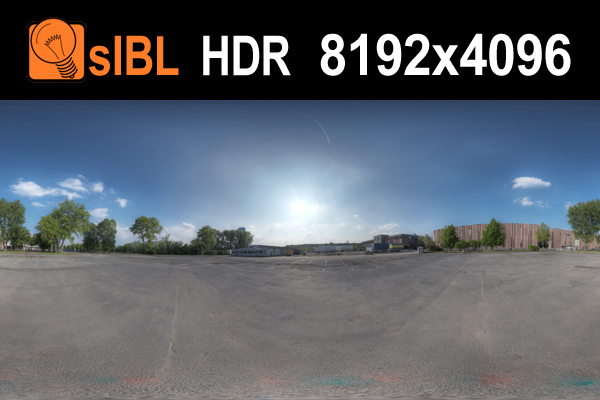
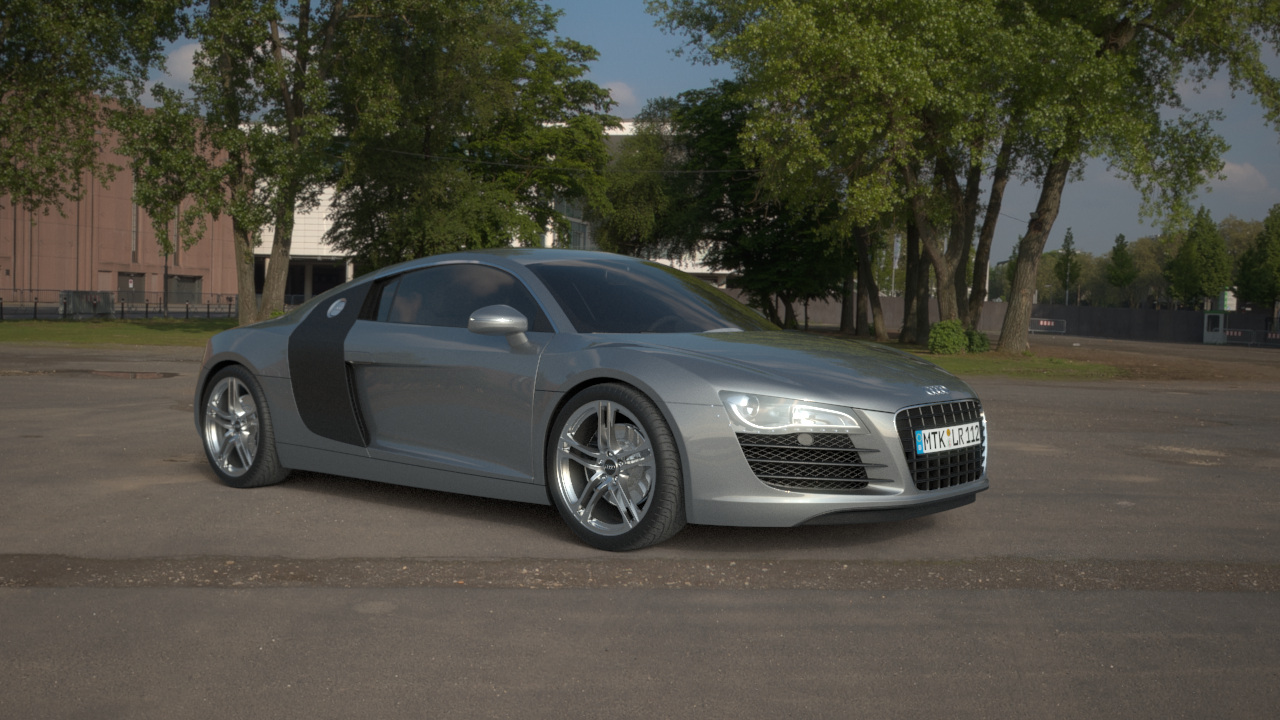
How can I achieve something like the picture below? Probably with CubeTextures, but how? My problem is that in my scene the 3D object (The car here) is not on the ground, like what we see in this [example](https://threejs.org/examples/?q=gltf#webgl_loader_gltf).
---
### Author:  [@Mugen87](https://discourse.threejs.org/u/Mugen87)
#### Post date: [March 18, 2020, 3:08pm UTC](https://discourse.threejs.org/t/hdri-background-position/13602/2 "2020-03-18T15:08:02Z")
> [@ahmafi](#):
>
> Probably with CubeTextures, but how?
You can apply environment maps in the cube and equirectangular format. [PMREMGenerator](https://threejs.org/docs/index.html#api/en/extras/PMREMGenerator) provides methods for both use cases (`.fromEquirectangular()` and `.fromCubemap()`).
> [@ahmafi](#):
>
> My problem is that in my scene the 3D object (The car here) is not on the ground,
How does our scene looks like?
---
### Author:  [@ahmafi](https://discourse.threejs.org/u/ahmafi)
#### Post date: [March 18, 2020, 3:26pm UTC](https://discourse.threejs.org/t/hdri-background-position/13602/3 "2020-03-18T15:26:00Z")
A car that is not on the ground, like the example I mentioned. And I’m setting this CubeTexture to scene background.

---
### Author:  [@Mugen87](https://discourse.threejs.org/u/Mugen87)
#### Post date: [March 18, 2020, 3:39pm UTC](https://discourse.threejs.org/t/hdri-background-position/13602/4 "2020-03-18T15:39:58Z")
> [@ahmafi](#):
>
> And I’m setting this CubeTexture to scene background.
Is this a HDR cube texture?
---
### Author:  [@ahmafi](https://discourse.threejs.org/u/ahmafi)
#### Post date: [March 18, 2020, 3:47pm UTC](https://discourse.threejs.org/t/hdri-background-position/13602/5 "2020-03-18T15:47:38Z")
Yes, I’m using it like this:
```
const loader = new THREE.CubeTextureLoader();
const texture = loader
.load([
'../images/env/px.png',
'../images/env/nx.png',
'../images/env/py.png',
'../images/env/ny.png',
'../images/env/pz.png',
'../images/env/nz.png'
]);
scene.background = texture;
```
---
### Author:  [@Mugen87](https://discourse.threejs.org/u/Mugen87)
#### Post date: [March 18, 2020, 3:55pm UTC](https://discourse.threejs.org/t/hdri-background-position/13602/6 "2020-03-18T15:55:33Z")
> [@ahmafi](#):
>
> CubeTextureLoader
`CubeTextureLoader` is for LDR env maps only. You have to use a HDR compatible loader like `RGBELoader` or `EXRLoader`.
---
### Author:  [@ahmafi](https://discourse.threejs.org/u/ahmafi)
#### Post date: [March 18, 2020, 4:03pm UTC](https://discourse.threejs.org/t/hdri-background-position/13602/7 "2020-03-18T16:03:53Z")
Thanks. But I think it doesn’t solve my main problem. So I should create a cube or 6 planes and put these textures on them?
---
### Author:  [@Mugen87](https://discourse.threejs.org/u/Mugen87)
#### Post date: [March 18, 2020, 5:32pm UTC](https://discourse.threejs.org/t/hdri-background-position/13602/8 "2020-03-18T17:32:08Z")
As shown in the `glTF` example, it’s best when you use `PMREMGenerator` and assign the output of `.fromEquirectangular()` or `.fromCubemap()` to `Scene.background` and `Scene.environment`.
---
### Author:  [@pradeepselva](https://discourse.threejs.org/u/pradeepselva)
#### Post date: [September 6, 2021, 3:36pm UTC](https://discourse.threejs.org/t/hdri-background-position/13602/9 "2021-09-06T15:36:41Z")
Hi,
Can you share the codes for the same? I am a novice developer and feeling difficult to convert your solution into codes to work.
---
### Author:  [@victor.z](https://discourse.threejs.org/u/victor.z)
#### Post date: [June 30, 2022, 6:42pm UTC](https://discourse.threejs.org/t/hdri-background-position/13602/10 "2022-06-30T18:42:50Z")
I don’t think you understood @ahmafi’s question. They are trying to project the HDRI onto a “ground” surface, which they can place a model onto. They used the gltf example as an example of what they were currently getting, **not** what they were trying to achieve. They are trying to achieve something like the second picture in their original post, with a model sitting on the ground. The glTF example shows the model floating above the ground.
This is the same problem that is discussed here: [Ground projected HDR environment map · Issue #23512 · mrdoob/three.js · GitHub](https://github.com/mrdoob/three.js/issues/23512)
---
### Author:  [@Mugen87](https://discourse.threejs.org/u/Mugen87)
#### Post date: [June 30, 2022, 9:41pm UTC](https://discourse.threejs.org/t/hdri-background-position/13602/11 "2022-06-30T21:41:20Z")
Indeed, I’ve marked your post as the solution.