**Author:**  [@canxerian](https://discourse.threejs.org/u/canxerian)\
**Post date:** [October 2, 2024, 8:51pm UTC](https://discourse.threejs.org/t/embedded-js-in-html-and-vs-code-intellisense/72325/1 "2024-10-02T20:51:27Z")
When writing three code directly in a HTML file, either importing the lib with a cdn a locally, is it possible to have VS Code intellisense working?
I notice all examples are written with embedded HTML, for example:
[three.js/examples/misc\_controls\_transform.html at 37d6f280a5cd642e801469bb048f52300d31258e · mrdoob/three.js · GitHub](https://github.com/mrdoob/three.js/blob/37d6f280a5cd642e801469bb048f52300d31258e/examples/misc_controls_transform.html). Were these written with any intellisense?
---
**Author:**  [@manthrax](https://discourse.threejs.org/u/manthrax)\
**Post date:** [October 2, 2024, 9:17pm UTC](https://discourse.threejs.org/t/embedded-js-in-html-and-vs-code-intellisense/72325/2 "2024-10-02T21:17:51Z")
The examples are written in the style they are because they are intended to be small units of functionality, and easy to examine the code without digging into multiple source files, but for anything of scale that you’re building, you really want some kind of tree of source code.
I think you’ll find that adding code directly in the HTML gets harder over time.
It’s best to include your “./main.js” as a type=‘module’ script tag, and then build off of there.
Or to have one script tag of type=‘module’ and import the main functionality inside that tag, from other source files.
(Check out how the HTML looks for the threejs editor… [three.js editor](https://threejs.org/editor/)
>
It has a main type=‘module’ tag, and then imports most of the functional code in there, and only has the highest level state machine and event hookups in the .html
Also chrome debugger/vscode has a hard time with breakpoints/editing and hot reloading when editing the .html directly.
---
**Author:**  [@canxerian](https://discourse.threejs.org/u/canxerian)\
**Post date:** [October 2, 2024, 9:23pm UTC](https://discourse.threejs.org/t/embedded-js-in-html-and-vs-code-intellisense/72325/3 "2024-10-02T21:23:29Z")
Thanks for the reply - however, perhaps my question wasn’t clear.
Is it possible to setup VS Code Intellisense when writing threejs (or any JS code for that matter) in HTML?
I am writing examples for teaching purposes, so I am partial to having all code in a single file 🙂
---
**Author:**  [@manthrax](https://discourse.threejs.org/u/manthrax)\
**Post date:** [October 3, 2024, 1:10am UTC](https://discourse.threejs.org/t/embedded-js-in-html-and-vs-code-intellisense/72325/4 "2024-10-03T01:10:21Z")
Ahh sorry I misunderstood.
I found this on a necropost here: [https://www.youtube.com/watch?v=zBJXXcFy6iU](https://www.youtube.com/watch?v=zBJXXcFy6iU)
---
**Author:**  [@canxerian](https://discourse.threejs.org/u/canxerian)\
**Post date:** [October 3, 2024, 7:58pm UTC](https://discourse.threejs.org/t/embedded-js-in-html-and-vs-code-intellisense/72325/5 "2024-10-03T19:58:09Z")
Ah! Looks great! Look forward to trying it, thanks
---
**Author:**  [@antidive916](https://discourse.threejs.org/u/antidive916)\
**Post date:** [August 29, 2025, 10:59am UTC](https://discourse.threejs.org/t/embedded-js-in-html-and-vs-code-intellisense/72325/6 "2025-08-29T10:59:24Z")
Did this solution work for you? VSCode offers minimal support for JS embedded in HTML. They have [no intention of improving](https://github.com/microsoft/vscode/issues/250216#issuecomment-2966040469) this either. The current structure of having the examples as HTML files with embedded javascript is great as long I just need to read the code. If I need to dig deeper into any of the import in the file, VSCode simply is not able to figure out where to find the import.
I’m considering having a local branch where I port all the examples to use discrete JS files.
---
**Author:**  [@145a](https://discourse.threejs.org/u/145a)\
**Post date:** [December 7, 2025, 11:15am UTC](https://discourse.threejs.org/t/embedded-js-in-html-and-vs-code-intellisense/72325/7 "2025-12-07T11:15:09Z")
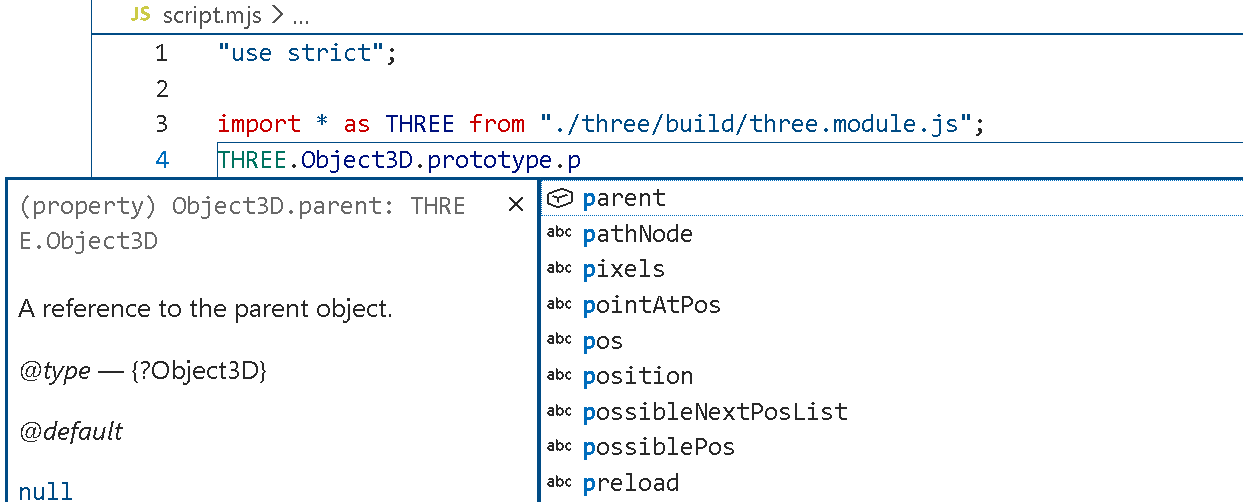
Hi everyone, I had the same issue, so I used a `script` tag to include my javascript file instead. I found that `Object3D.prototype.position` is missing so I downloaded type definitions from `@types/three` and placed it in the `types` folder in my project. However, the `.dts` type files doesn’t seem to be recognized, VSCode seams to ignore them and only parse the `.js` files explicitly imported for IntelliSense.